# How do you invite individual user to Bsharp Converse?
Admins have the option to invite team members to Bsharp Converse individually or in bulk, providing efficient user management regardless of the number of users.
**To add your team member individually,**
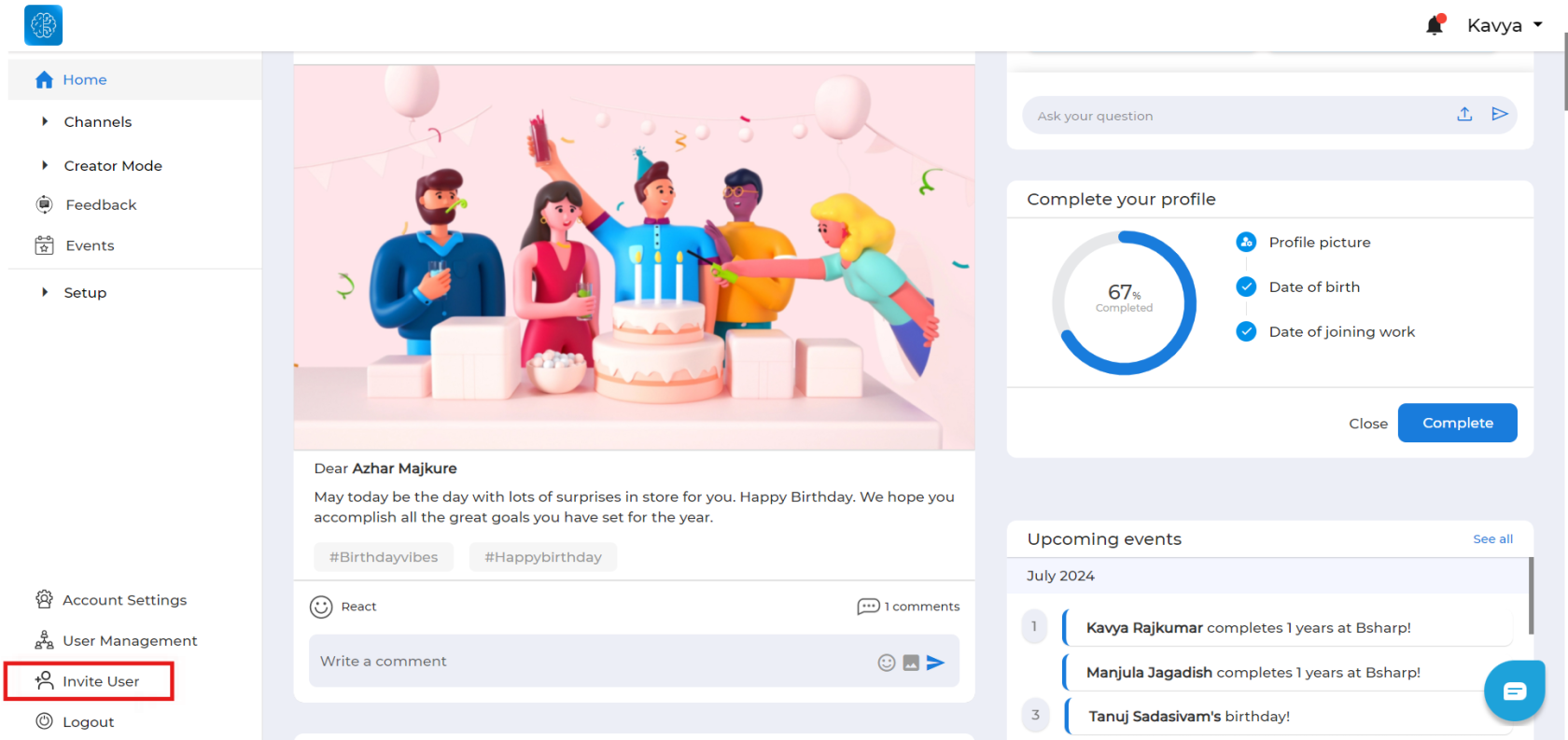
1. 1. Head over to Bsharp Converse and select "Invite User" from the left navigation section.
[](https://help.bsharpcorp.com/uploads/images/gallery/2024-06/JUF5v0image.png)
[ ](https://help.bsharpcorp.com/uploads/images/gallery/2024-06/5v0image.png)
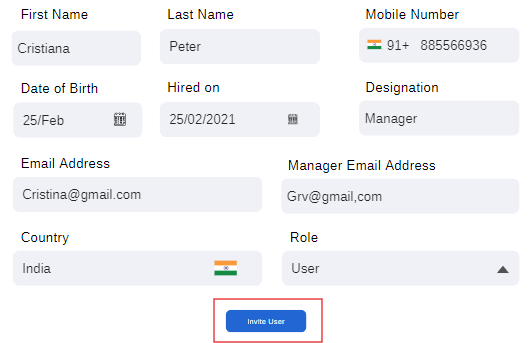
2\. Enter the required information of the team member and click on "Invite User."
[](https://help.bsharpcorp.com/uploads/images/gallery/2024-06/J2Pimage.png)
**The invited team member will receive an invitation via email to join your Bsharp Converse account.**