# How do you sign up with Google?
You can easily sign up for Bsharp Converse using your Google account, making it convenient and accessible. It's a straightforward process to get started.
**To signup via Google,**
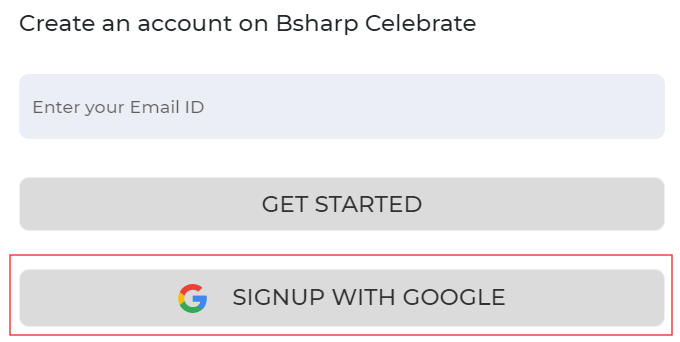
1. Head over to [Bsharp Converse. ](https://converse.bsharpcorp.com/celebrate/proceed_signup)Select Sign up with Google..
[ ](https://help.bsharpcorp.com/uploads/images/gallery/2024-06/jKOimage.png)
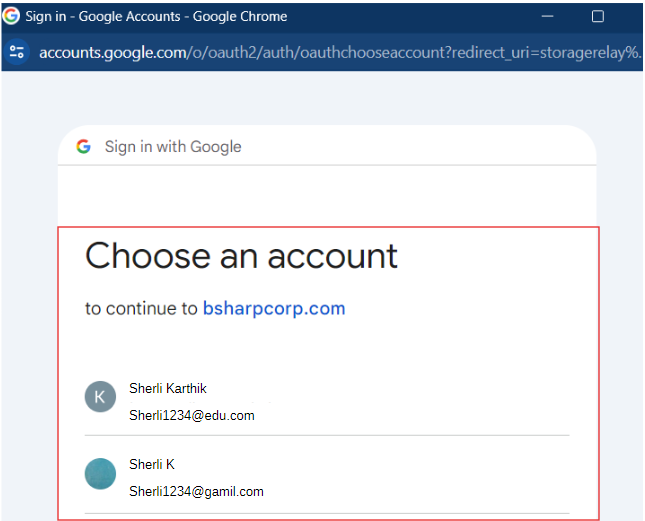
2. After selecting "Sign up with Google," a pop-up will appear where you can choose the Google account you wish to use for signing up.
[ ](https://help.bsharpcorp.com/uploads/images/gallery/2024-06/Xa6image.png)
[ ](https://help.bsharpcorp.com/uploads/images/gallery/2024-06/j40image.png)
3. Enter the necessary information and sign up.
**Thus you will be signed up to Bsharp Converse.**