# How do you sign-up with Microsoft?
You can easily sign up for Bsharp Converse using your Microsoft account, making it convenient and accessible. It's a straightforward process to get started.
**To signup via Google,**
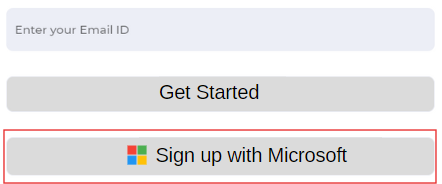
1. Head over to [Bsharp Converse](https://converse.bsharpcorp.com/celebrate/proceed_signup) and choose "Sign up with Microsoft."
[](https://help.bsharpcorp.com/uploads/images/gallery/2024-06/gctimage.png)
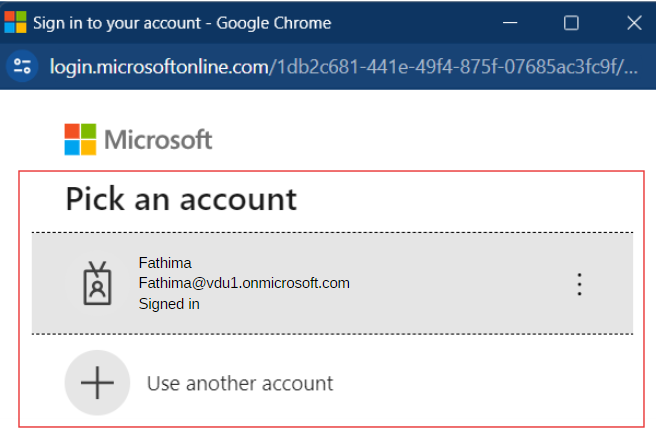
2. After selecting "Sign up with Microsoft," a pop-up will appear where you can choose your microsoft account you wish to use for signing up. Setup your password.
[](https://help.bsharpcorp.com/uploads/images/gallery/2024-06/eGZimage.png)
3. Enter the necessary information and sign up.
**Thus you will be signed up to Bsharp Converse.**