# Occasions
### **1. Overview**
The **Occasions** feature allows admins to configure and manage festival and special-day posts that are automatically published on the Feed. It helps organizations celebrate national events, festivals, and special occasions in a timely and consistent manner without manual posting.
### **2. When to Use**
- To automatically celebrate festivals and special occasions
- To maintain consistent engagement across regions and countries
- To avoid manual posting for recurring or fixed-date events
- To improve employee engagement through timely celebration posts
### **3. Concepts**
- **Occasion**: A festival or special day configured with a date, image, and wish message.
- **Country-based Occasions**: Occasions are enabled based on the selected country.
- **Active / Inactive Status**: Occasions can be enabled or disabled as needed.
- **Automated Post**: An occasion post is automatically published on the configured date.
### **4. Set Up Guide**
##### Access Occasion Setup
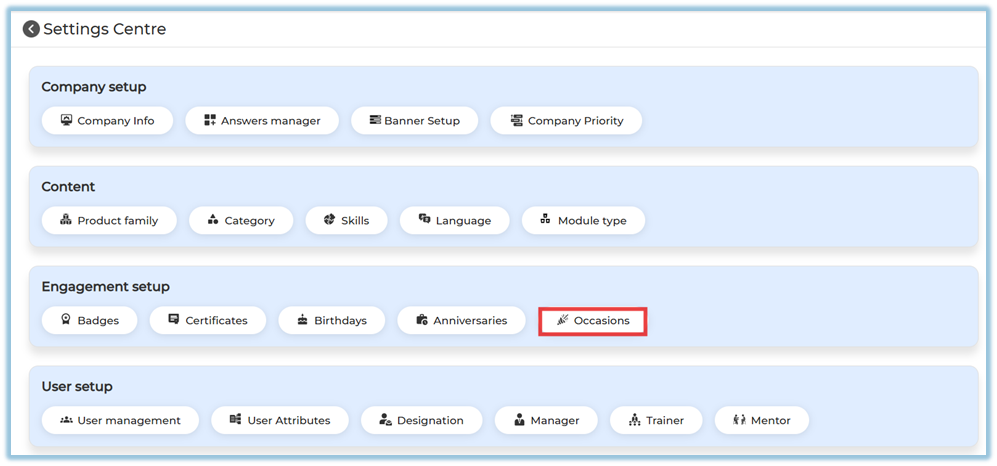
1. Go to **Menu → Settings Centre** [https://converse.bsharpcorp.com/celebrate/settings\_center](https://converse.bsharpcorp.com/celebrate/settings_center)
2. Under **Engagement Setup**, click **Occasions
**
##### Configure Country
- By default, occasions are loaded based on the selected country
- Click **Add** to include a country if required
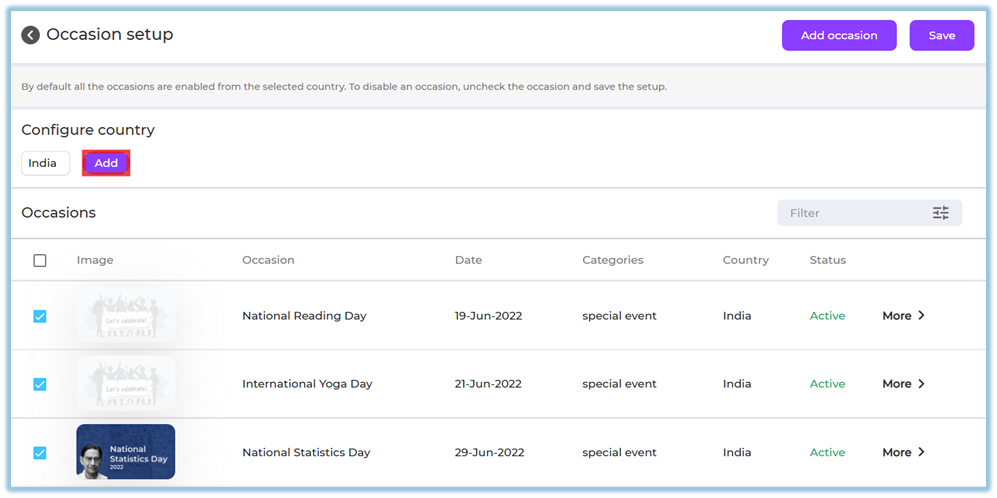
- All occasions for the selected country are enabled by default
##### Enable or Disable Existing Occasions
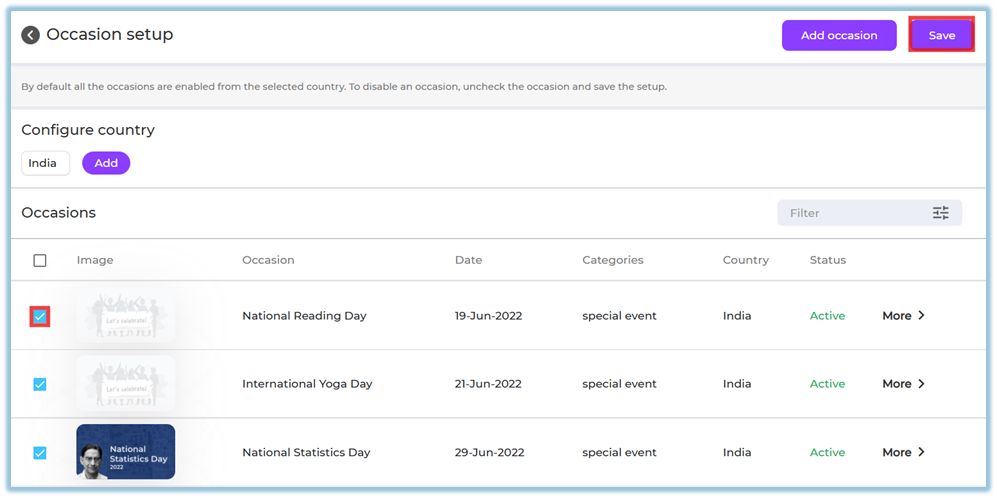
- Use the checkbox to enable or disable an occasion
- Uncheck an occasion if you do not want it to be posted
- Click **Save** to apply changes
##### Add a New Occasion
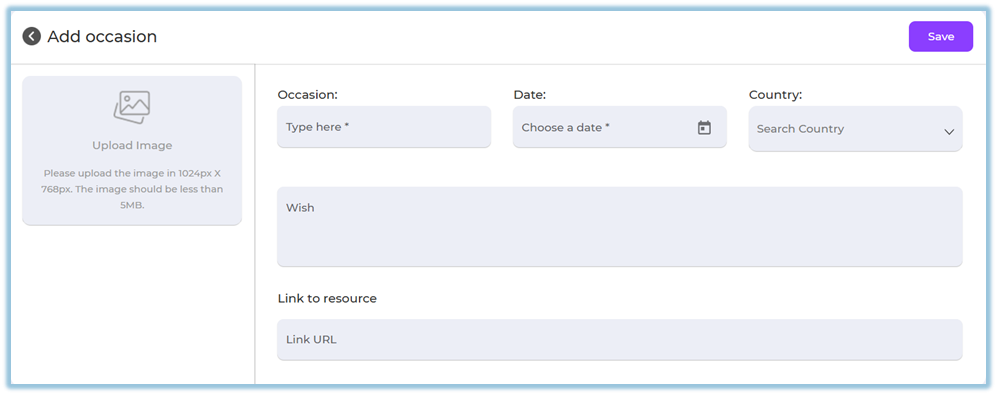
1. Click **Add Occasion**
2. Upload an image
- Recommended size: **1024 × 768 px**
- Maximum size: **5 MB**
3. Enter **Occasion Name**
4. Select the **Date**
5. Choose the **Country**
6. Add a **Wish message**
7. (Optional) Add a **Link to Resource**
8. Click **Save
**
##### Filter Occasions
Use the **Filter** option to search occasions by:

- Year
- Month
- Category
- Country
- Status
### **5. User View**
- Occasion posts appear automatically in the **Feed** on the configured date
- Posts display:
- Occasion image
- Occasion name
- Wish message
- Users can react and engage with the post

### **6. Reporting**
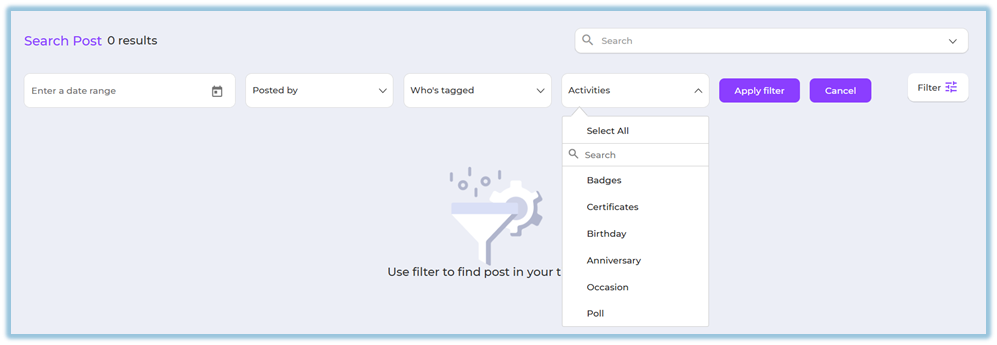
- Occasion posts can be tracked using **Feed filters**
- Filter by:
- Activity type → Occasions
- Date
### **7. Best Practices**
- Review and disable irrelevant occasions for your organization
- Use clear and festive images
- Keep wish messages simple and inclusive
- Configure country-specific occasions carefully
- Save changes after every update
### **8. Related Links / FAQs**
- [Engagement Setup – Overview](https://help.bsharpcorp.com/books/settings-centre/page/engagement-setup)
- [Birthday – Employee Engagement](https://help.bsharpcorp.com/books/feed/page/birthday)
- [Work Anniversary – Employee Engagement](https://help.bsharpcorp.com/books/feed/page/work-anniversary)
### **9. Version Notes**
Last Updated: 29 Dec 2025