# How to generate ‘Suggested Questions’ in Instant Answers
### **1. Overview**
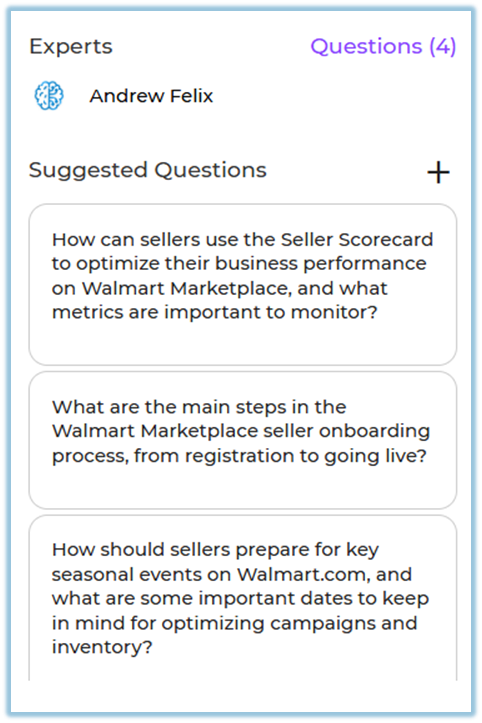
Suggested Questions in Instant Answers help admins add common or important questions in advance. These questions appear in the chat so users know what they can ask in a channel.
### **2. When to Use**
- When users are not sure what questions they can ask
- When common questions should be shown to users directly
- When setting up or improving the question flow in a channel
### **3. Concepts**
**Suggested Questions**
Predefined questions added by an admin that appear in the chat for users to select.
The area on the right side where users interact with Instant Answers.
**Add (+) Action**
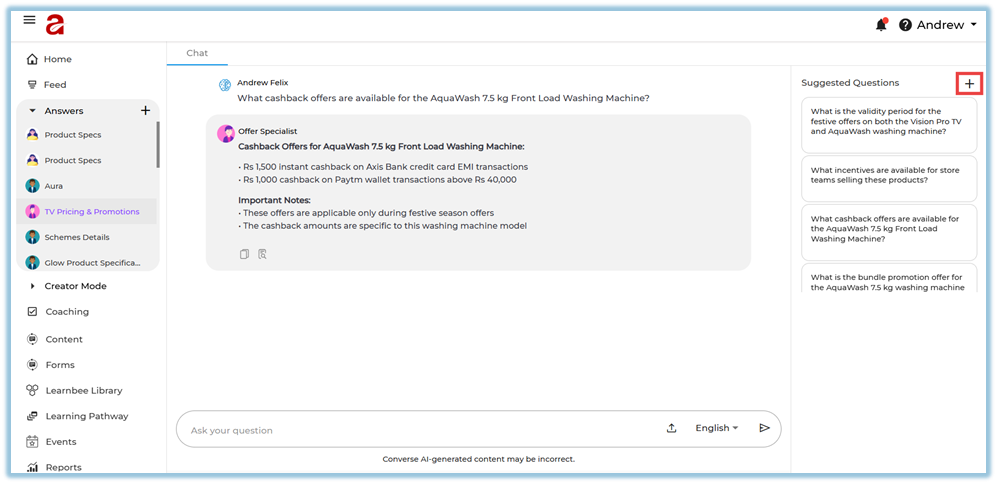
The **+** icon used to add a new suggested question.
**Question Dialog Box**
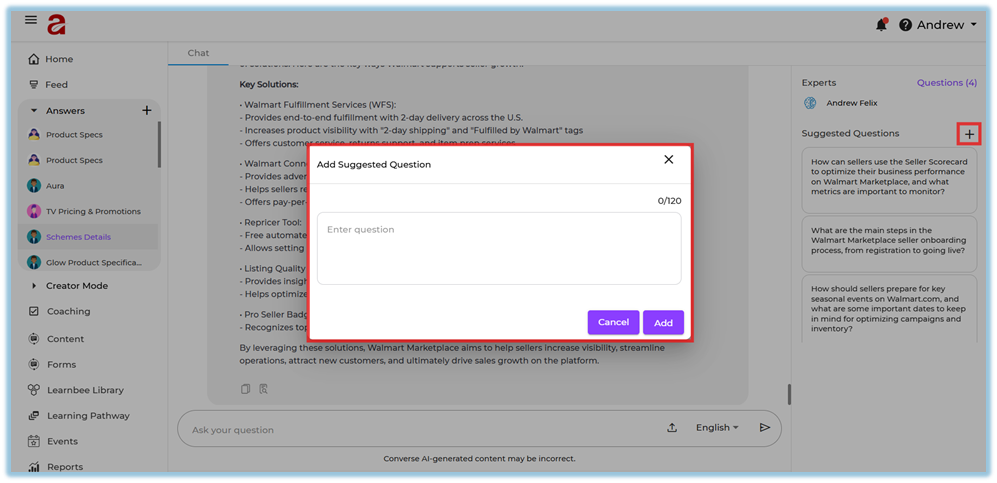
The pop-up box where the admin types the question before adding it.
### **4. Set Up Guide**
1. Open the chat section in Instant Answers.
2. Find the Suggested Questions area on the right side.
3. Click the **+** icon.
4. Type the question in the dialog box.
5. Click **Add** to save the question.
### **5. User View**
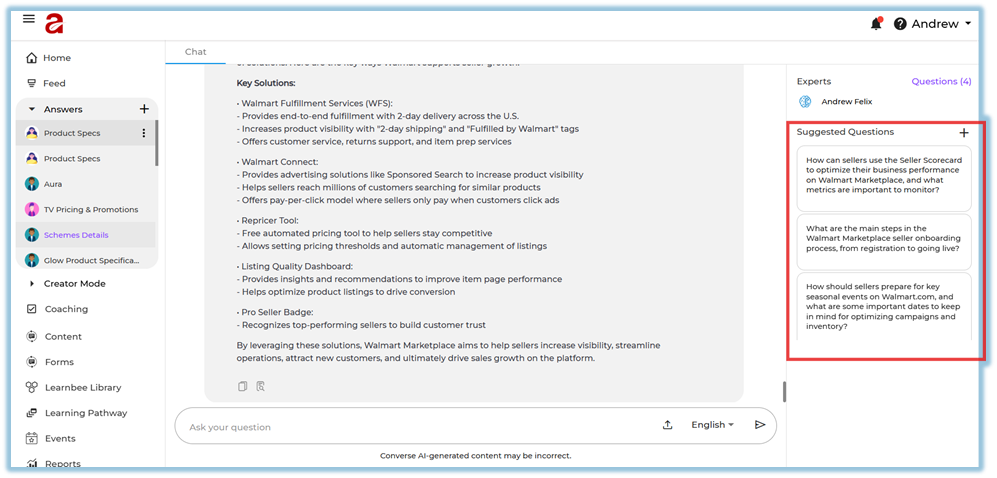
Users see a list of suggested questions in the chat section. They can click on any question to ask it directly, without typing.
### **6. Best Practices**
- Add simple and commonly asked questions.
- Review the suggested questions regularly and update them if needed.
### **7. Related Links / FAQs**
**Q: Can users edit suggested questions?**
A: No. Only admins can add or edit suggested questions.
### **8. Version Notes**
Last Updated: 16 Dec 2025
---