# Copilot
### **1. Overview**
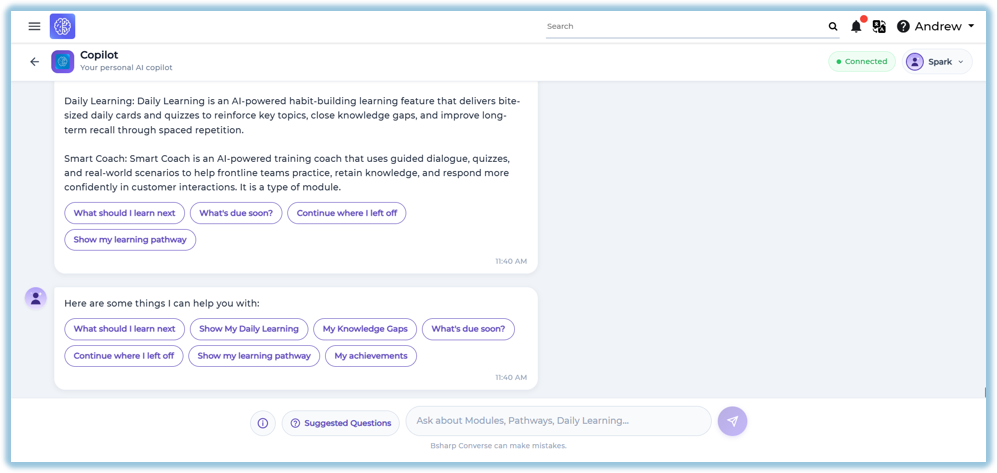
Learning Copilot is an AI-powered learning assistant that helps learners quickly access learning information, receive personalized recommendations, and continue their learning journey. It provides instant answers to learning-related questions and allows learners to access Daily Learning, Learning Pathways, Knowledge Gaps, Achievements, and other learning resources from a single interface.
### **2. When to Use**
Use Learning Copilot when you want to:
- Ask questions related to learning content.
- View Daily Learning recommendations.
- Continue previously started learning.
- View Learning Pathways.
- Identify Knowledge Gaps.
- Check upcoming learning activities.
- View learning achievements.
- Get quick definitions of learning features.
### **3. Concepts**
- **Learning Copilot** – An AI-powered assistant that helps learners access learning information and recommendations.
- **Suggested Questions** – Predefined questions that provide quick access to common learning actions.
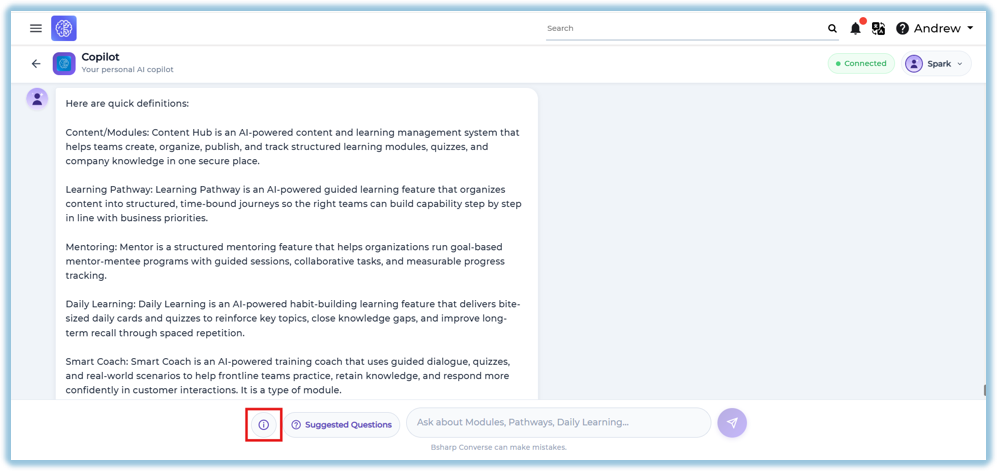
- **Information** – Displays brief definitions of the learning features available in Converse.
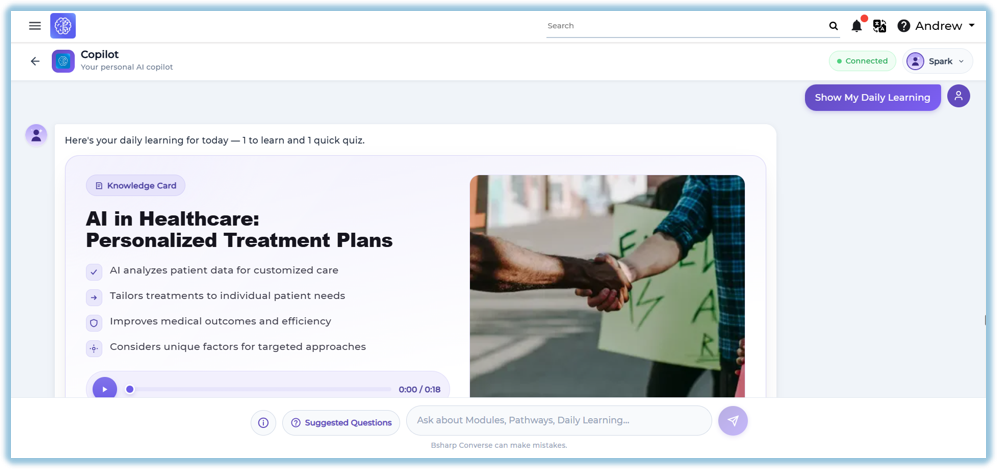
- **Daily Learning** – Shows AI-generated daily learning cards and quizzes assigned to the learner.
- **Learning Pathway** – Displays the learner's assigned learning journey and recommended next steps.
- **Knowledge Gaps** – Identifies learning areas where additional improvement is recommended.
- **Continue Learning** – Allows learners to resume modules or learning activities that are in progress.
- **Achievements** – Displays the learner's overall learning progress and accomplishments.
### **4. Set Up Guide**
##### Access Learning Copilot
Learning Copilot can be accessed in either of the following ways:
**Option 1 – Daily Learning Widget**
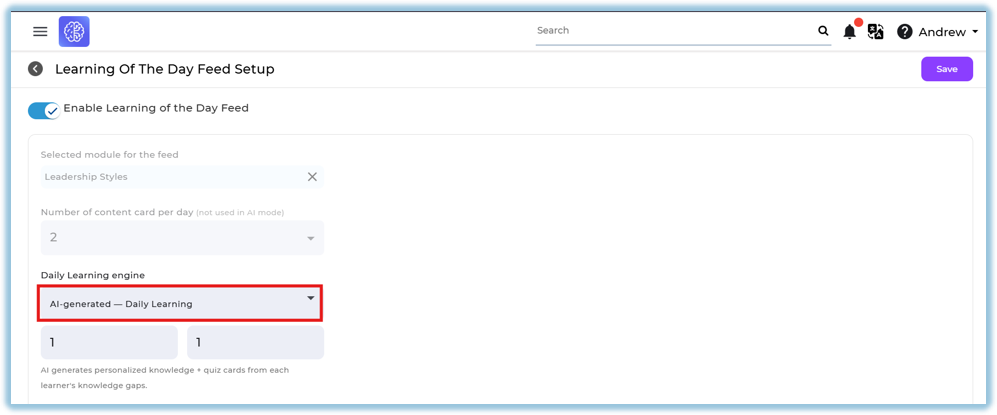
1. Ensure **AI Generated Mode** is enabled in Feed Setup.
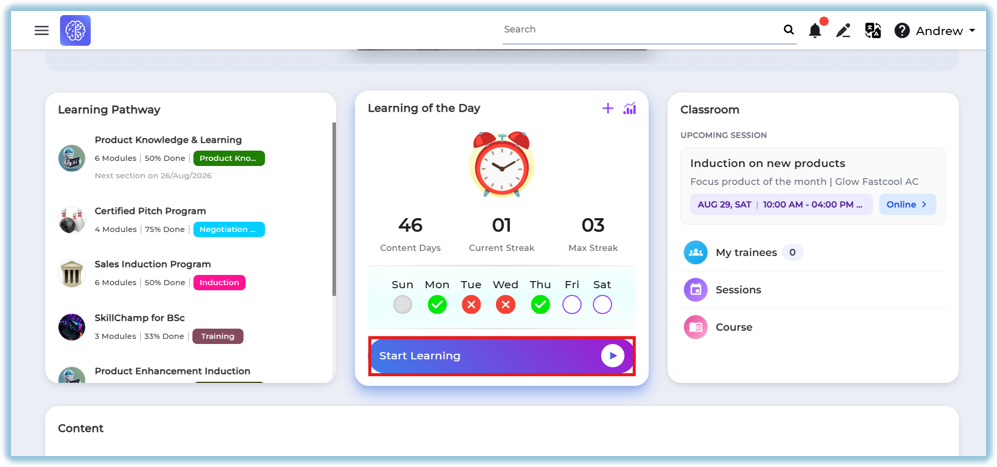
2. Open the **Home Page**.
3. Click the **Daily Learning** widget.
**Option 2 – Custom Widget**
1. Open the **Home Page**.
2. Click the configured **Copilot** [custom widget](https://help.bsharpcorp.com/books/other-features/page/custom-widget).
##### Using Learning Copilot
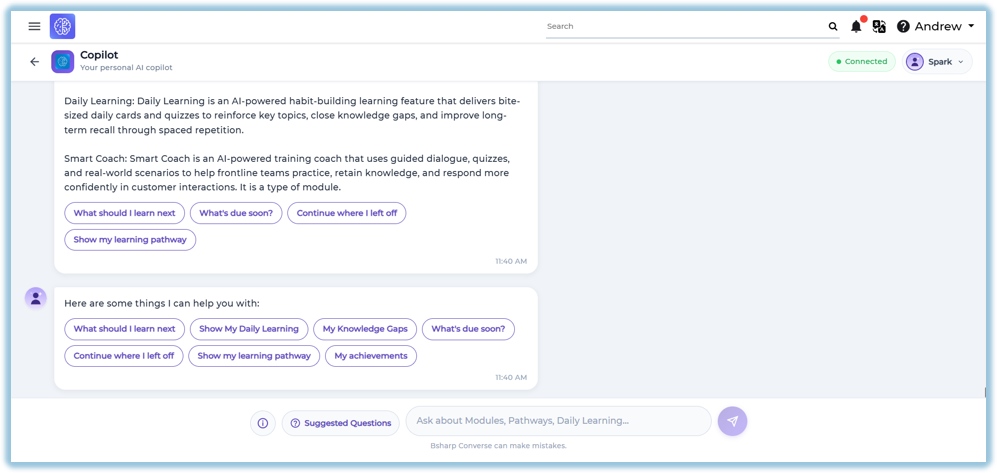
1. Enter your question in the search box.
**OR**
2. Select one of the **Suggested Questions**.
3. Review the AI-generated response.
### **5. User View**
##### Information
Click the **Information** icon to view quick definitions of available learning features.
The Information section includes:
- Content / Modules
- Learning Pathway
- Mentoring
- Daily Learning
- Smart Coach
##### Suggested Questions
Learners can select predefined questions such as:
- What should I learn next?
- Show My Daily Learning
- My Knowledge Gaps
- What's due soon?
- Continue where I left off
- Show my learning pathway
- My achievements
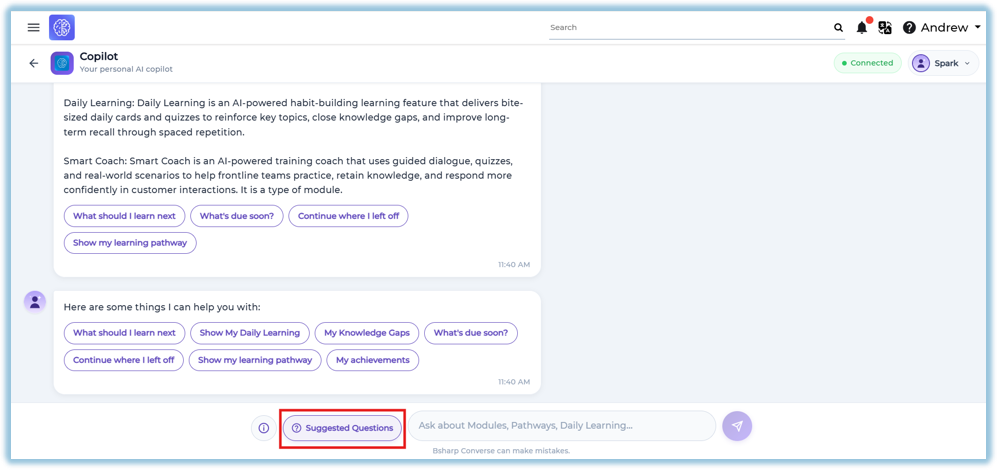
Selecting a question automatically generates the relevant response.
##### Daily Learning
Displays the learner's daily learning content, including:
- Knowledge Card
- Learning summary
- Audio-supported learning (if available)
- Quiz (when applicable)
##### Knowledge Gaps
Shows recommended learning topics based on areas where additional learning is required.
##### Learning Pathway
Displays the learner's assigned learning pathways and recommends the next learning activity.
##### Continue Learning
Allows learners to resume previously started modules or activities.
##### My Achievements
Displays the learner's overall learning summary, including:
- Modules Completed
- Modules In Progress
- Pathways Completed
- Pathways In Progress
- Daily Learning Completed
- Coaching Completed
- Coaching Pending
Also displays a detailed learning snapshot.
### **6. Reporting**
Learning Copilot does not provide a dedicated report.
Learner activities performed through Learning Copilot are reflected in their respective learning features, such as Modules, Daily Learning, Learning Pathways, and other applicable reports.
### **7. Best Practices**
- Use Suggested Questions for quick navigation.
- Ask clear and specific learning-related questions.
- Complete Daily Learning regularly.
- Review Knowledge Gaps to improve learning.
- Use Continue Learning to resume unfinished activities.
- Monitor Achievements to track overall learning progress.
### **8. Troubleshooting & FAQs**
**Why am I not able to access Learning Copilot?**
Ensure Learning Copilot is available through the Daily Learning widget or the configured Custom Widget.
**Why are Suggested Questions not displayed?**
Suggested Questions are available only when configured for Learning Copilot.
**Why is Daily Learning not available?**
Daily Learning is available only when learning content has been assigned.
**Can I type my own questions?**
Yes. Learners can enter their own learning-related questions in the input box.
Why do I see different recommendations than other learners?
Recommendations are personalized based on the learner's assigned content and learning activity.
### **9. Related Links**
- Daily Learning
- [Content (Modules)](https://converse.bsharpcorp.com/content)
- [Learning Pathway](https://converse.bsharpcorp.com/learning-pathway/list)
- [Smart Coach](https://converse.bsharpcorp.com/smart-coach/admin/list)
### **10. Version Notes**
Last Updated: 06 Aug 2026