# How do I configure a geo map widget?
### **Overview**
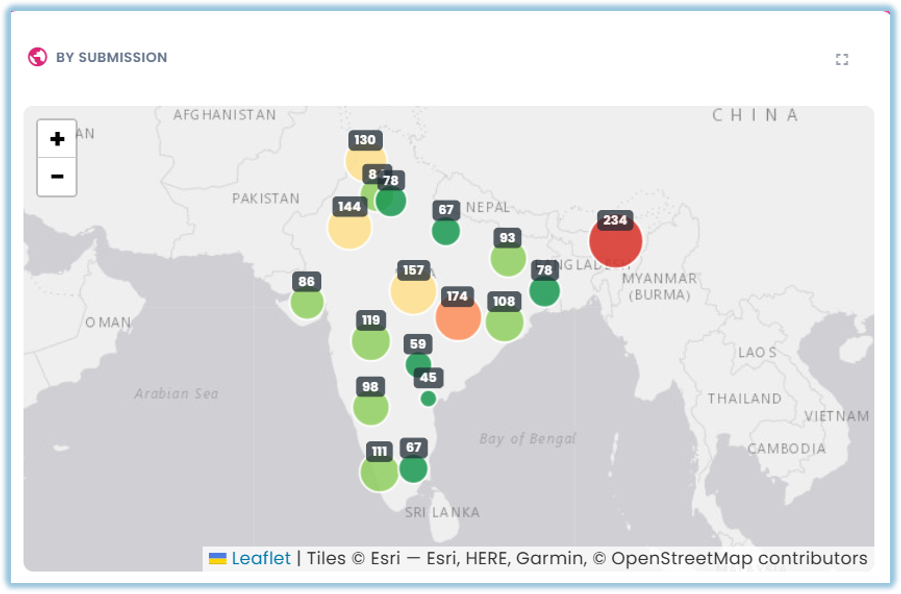
A geo map widget plots your data on a map, so you can see how a metric varies by location at a glance.
### **When to Use**
Use this feature when:
- You want to see how a metric breaks down by geography — region, state, country, or a similar location field
- You want a visual, at-a-glance view of location-based patterns rather than a table of location values
### **Concepts**
- Geo Map – A widget type that plots your data on a map, with values shown by location
- Location Field – The field in your data that identifies each map point or region, such as a region, state, or country column
- Metric – The value shown at each location, with an aggregation such as Sum, Count, or Average
- Basemap – The underlying map tiles the widget draws on top of, sourced from CARTO
### **Set Up Guide**
1. Go to a dashboard and click Add Widget, then set the Title, Apply Dashboard Filters, Widget Type (Geo Map), and Data Source as usual
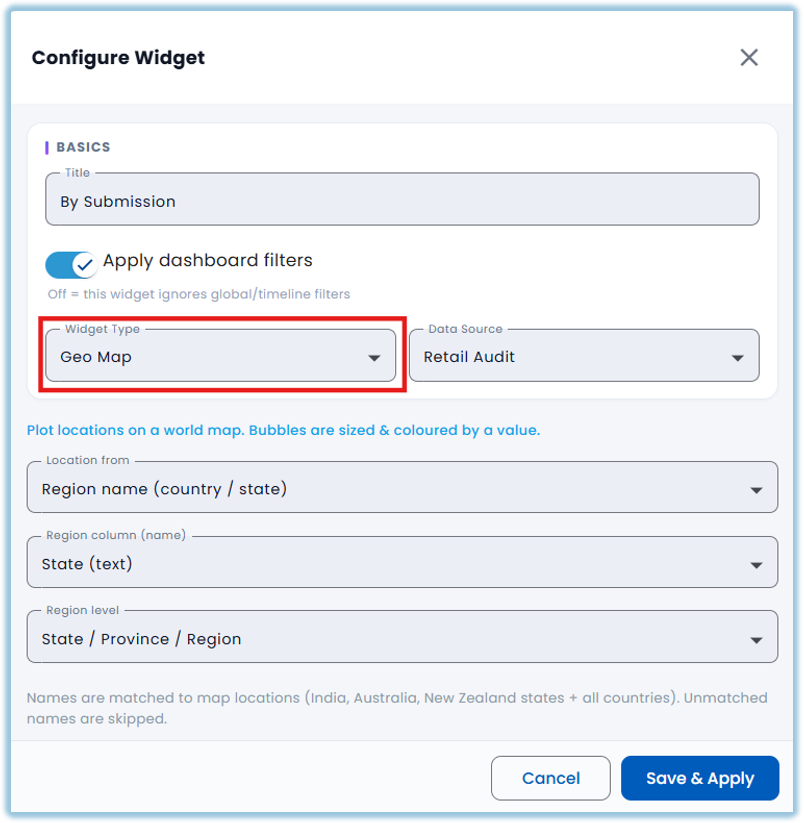
2. Choose the Location field
3. Choose the Metric field and aggregation
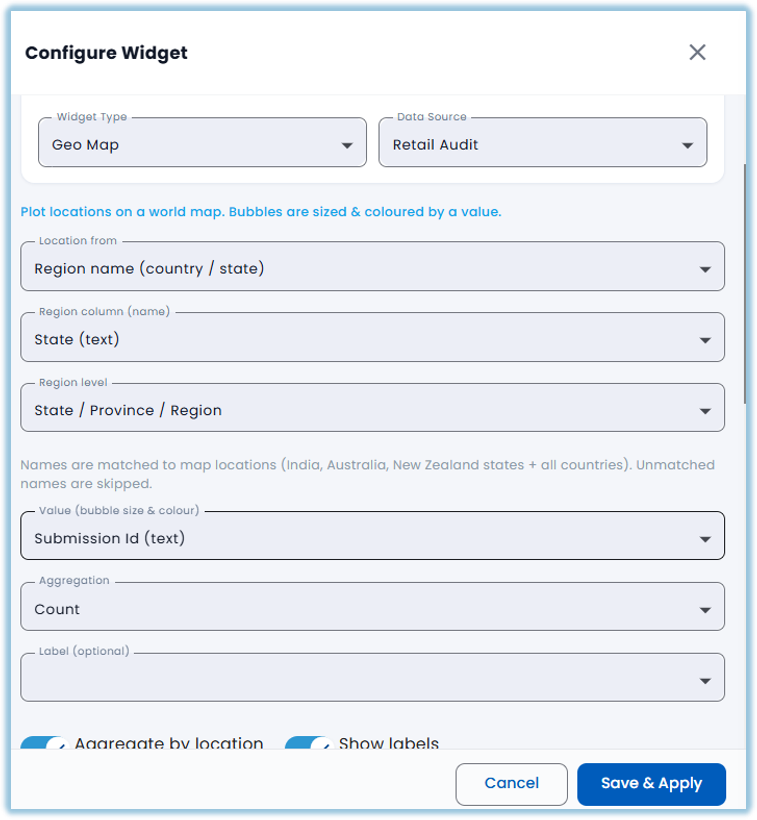
4. Apply any filters you want the map to respect
5. Click Save & Apply
### **Related Links/FAQs**
Related pages in this book:
- What widget types are available in Vantage?
- How do I configure a chart widget?
- How do I configure a summary table or pivot table widget?
##### FAQs
**Why does the map show a watermark?**
The map's basemap tiles come from CARTO, which began watermarking tile requests in September 2026. This is expected and not an error with your dashboard.
### **Version Notes**
Last Updated: 22 Oct 2026