
Product Filters
Product Filters
1. Overview
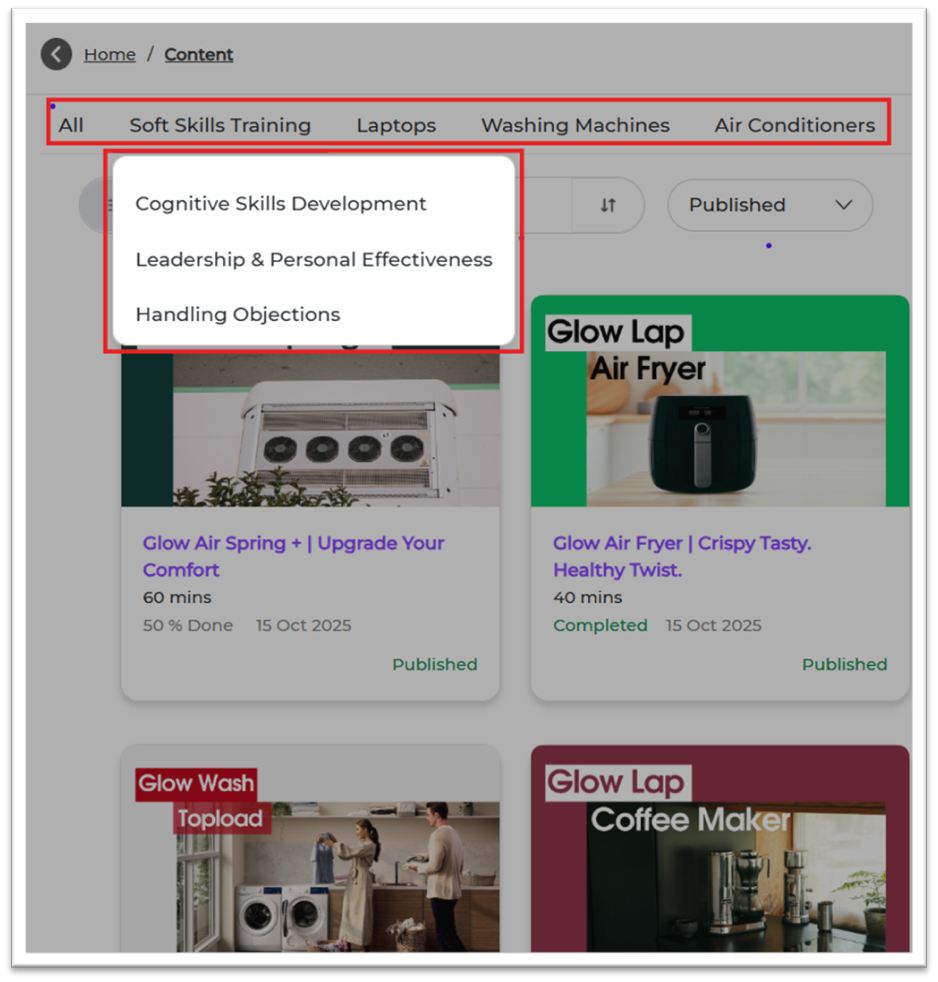
Product Filters help you group training modules based on products. This makes it easy for learners to search, filter, and find the right content.
Example:
- Product: Washing Machine
- Sub-Products: Front Load, Top Load
2. When to Use
Use this feature when you want to:
- Group modules according to product categories
- Assign learning specific to certain product lines
- Provide product-based learning for sales/service teams
- Enable better filtering in Content and Reports
3. Concepts
- Product: Main product category
- Sub-Product: Detailed category under a product
- Module Tagging: Mapping modules to the right Product & Sub-Product
- Filter: Used by learners to find product-specific content
4. Product Setup Guide
STEP 1 — Where to Go
1. Login to Bsharp Converse
2. Go to Settings Centre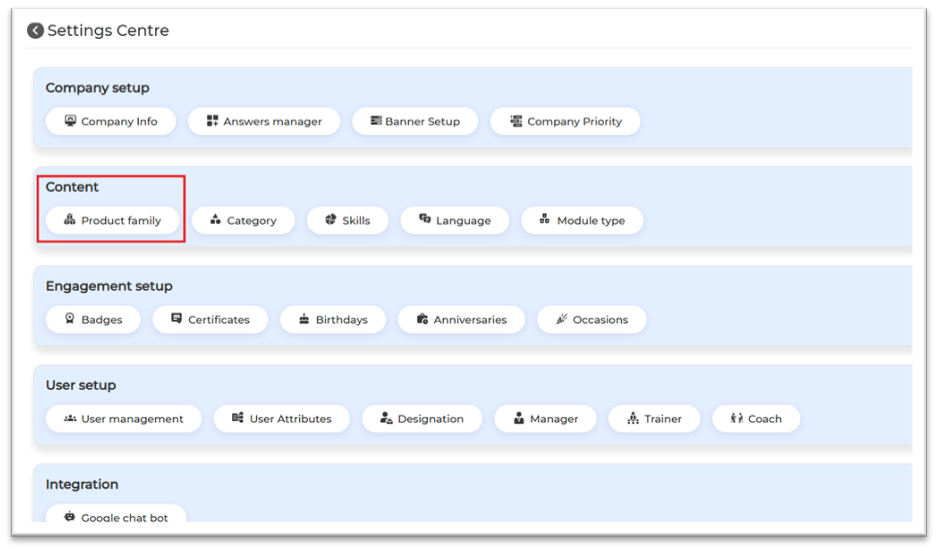
3. Under Content → Product Family
STEP 2 — Set Up Product Family (Product + Sub-Product)
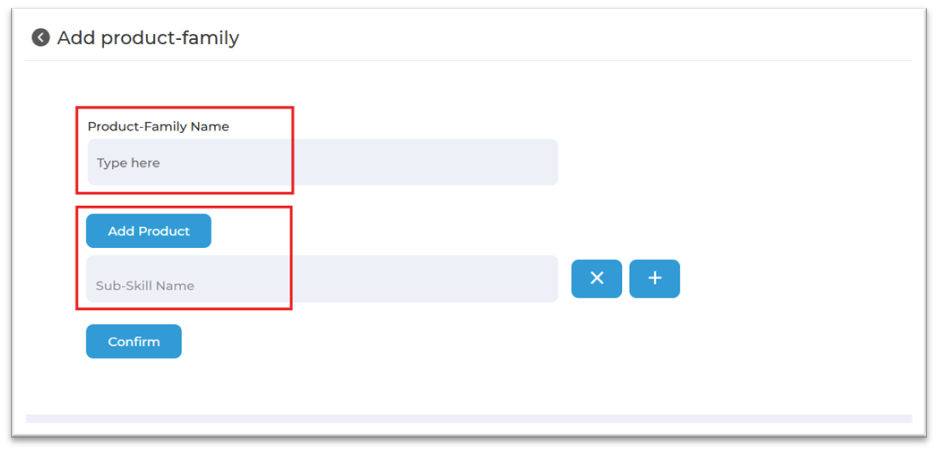
1. Click Add Product Family
2. Enter main product name (e.g., Washing Machine)
3. Add sub-products (e.g., Front Load, Top Load)
4. Click Confirm to save
4. Content Setup Guide
— Apply in Content
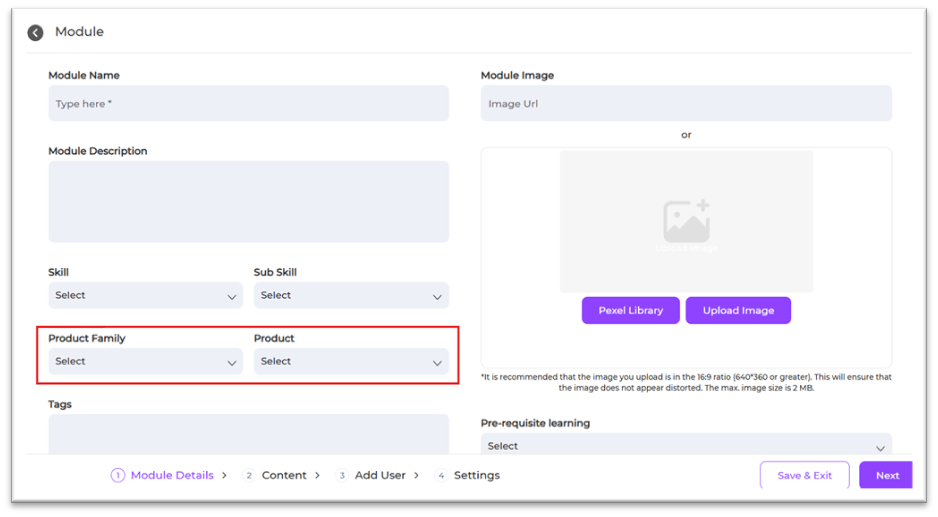
1. Go to Content → Select Module
2. Open Basic Info
3. Select Product and Sub-Product
4. Save and publish
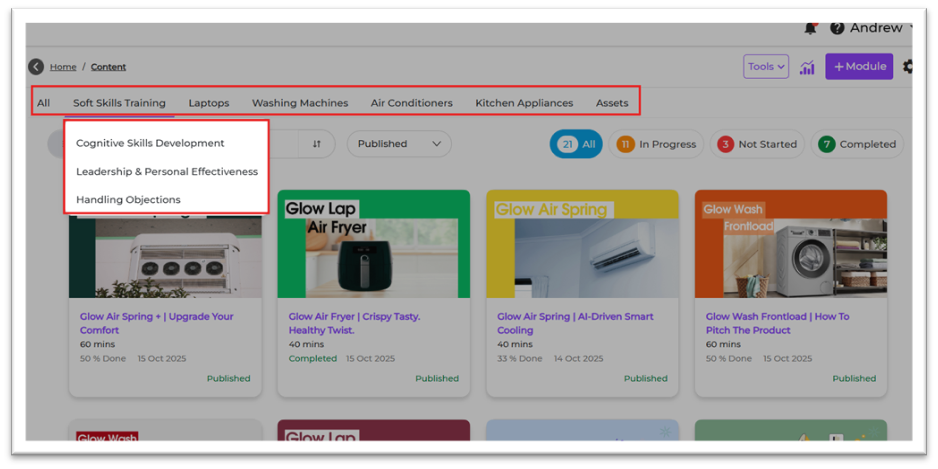
5. User View
Learners will see content grouped under the mapped product and sub-product.
This makes it easy to find product-specific training.
6. Reporting
Product Filters appear in reporting filters. Admins can track:
- Completion by product
- Performance by sub-product
- Time spent on product groups
7. Best Practices
- Use clear product names
- Keep sub-products simple and standard
- Avoid duplicates
- Review monthly
- Ensure all modules are correctly tagged
8. Troubleshooting & FAQs
Q1. Product not showing in module?
Create it first in Settings Centre → Product Family.
Q2. Can I edit product names?
Yes, via Edit → Save.
Q3. Can I add multiple sub-products?
Yes.
Q4. Can one module map to multiple products?
Yes.
9. Related Links
- Skills & Subskills
- Category Setup
- Module Upload Guide
- Reporting Guide
10. Version Notes
Last Updated: 01 Dec 2025