
What content types are supported in Bsharp Converse
Overview
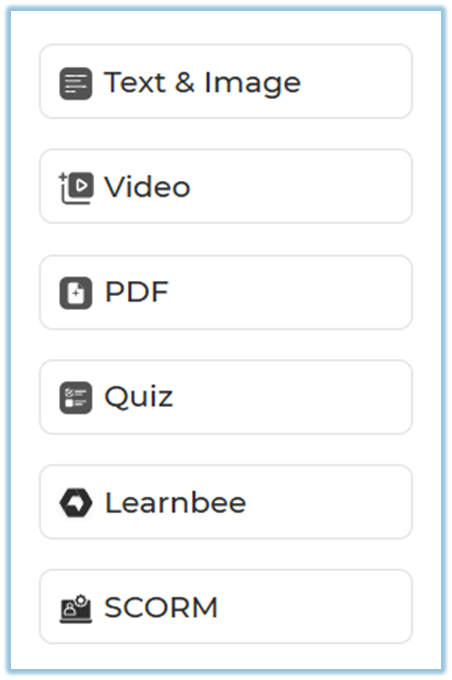
The Content feature in Bsharp Converse supports multiple content types that help admins build rich, structured training modules. These content types allow you to combine written material, visuals, videos, documents, assessments, AI-generated learning, and standard e-learning packages into a single learning experience.
When to Use
Use different content types when you want to:
-
Present information in multiple formats for better understanding
-
Convert documents into interactive learning content
-
Reinforce learning using quizzes and assessments
-
Reuse existing training material such as PDFs or SCORM packages
-
Create engaging and structured training journeys
Concepts
-
Text and Image Content
-
Video Content
-
PDF Content
-
Quiz Content
-
Learnbee Content
-
SCORM Content
Set Up Guide
Step 1: Open Content Creation
Step 2: Add Content to a Page
-
Create a Section and Page.
-
Click Add Content inside the page.
-
Choose one of the supported content types listed below.
Step 3: Supported Content Types and Their Usage
a) Text and Image
Use this content type to add written learning material with supporting visuals.
-
You can manually add your own text and images.
-
You can also prompt the AI Co-pilot to generate content from:
-
Your uploaded documents
-
Web-based knowledge
-
-
This helps save time and build diverse, engaging learning formats quickly.
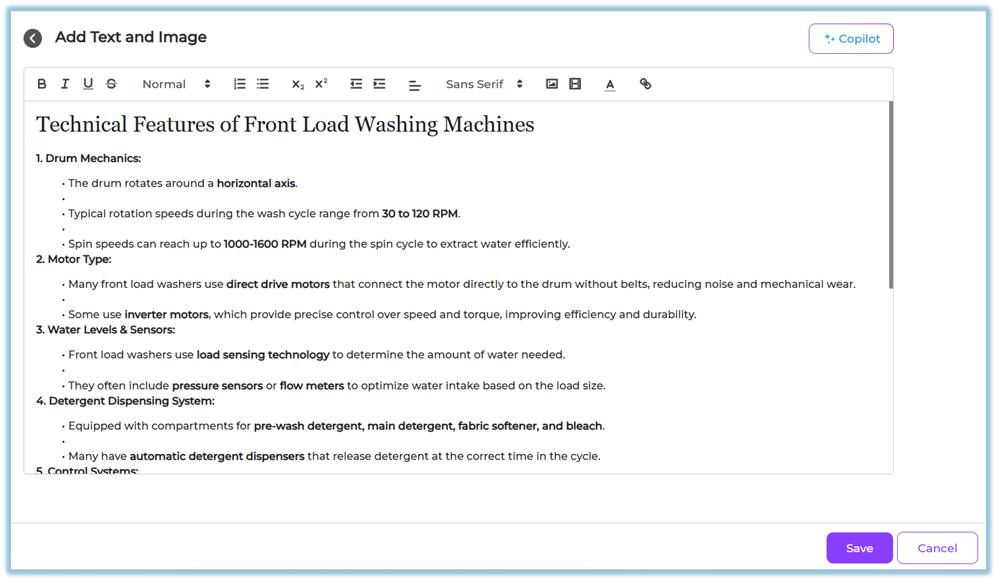
This content type is best suited for explanations, concepts, introductions, and summaries.
b) Video
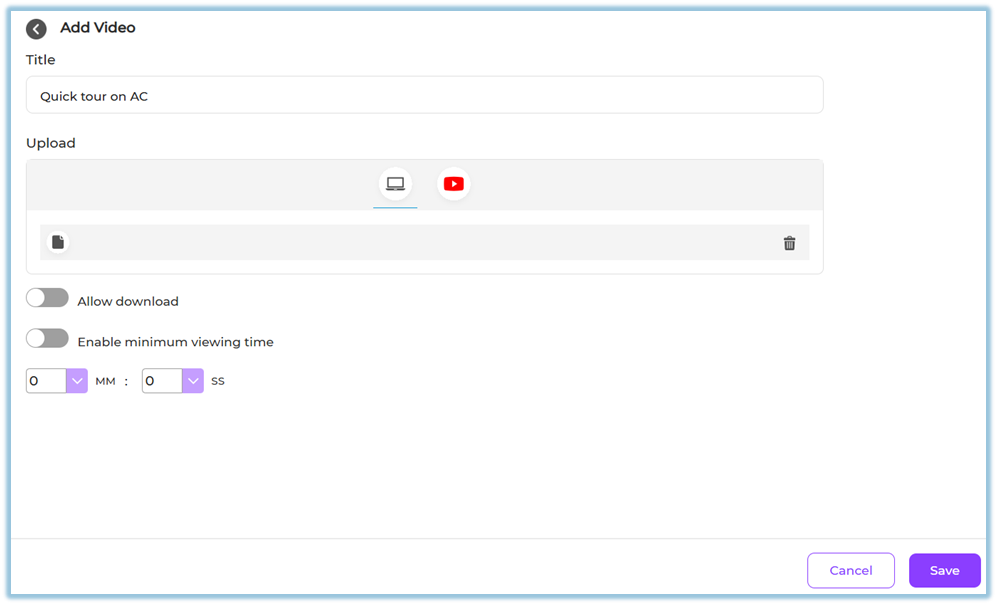
Use video content to explain concepts visually.
-
Upload your own video files, or
-
Add a supported video link
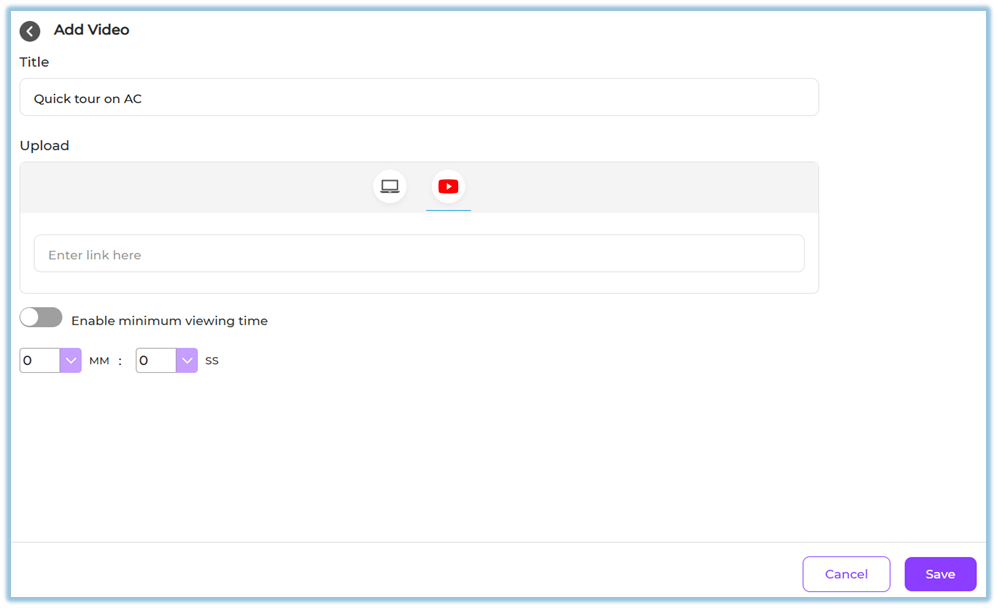
Videos help demonstrate processes, show real-world examples, and improve learner engagement.
c) PDF
Use PDF content to share documents and reference material.
-
Upload a PDF file
-
Learners can view the document directly in the module
-
Learners can download the PDF if enabled
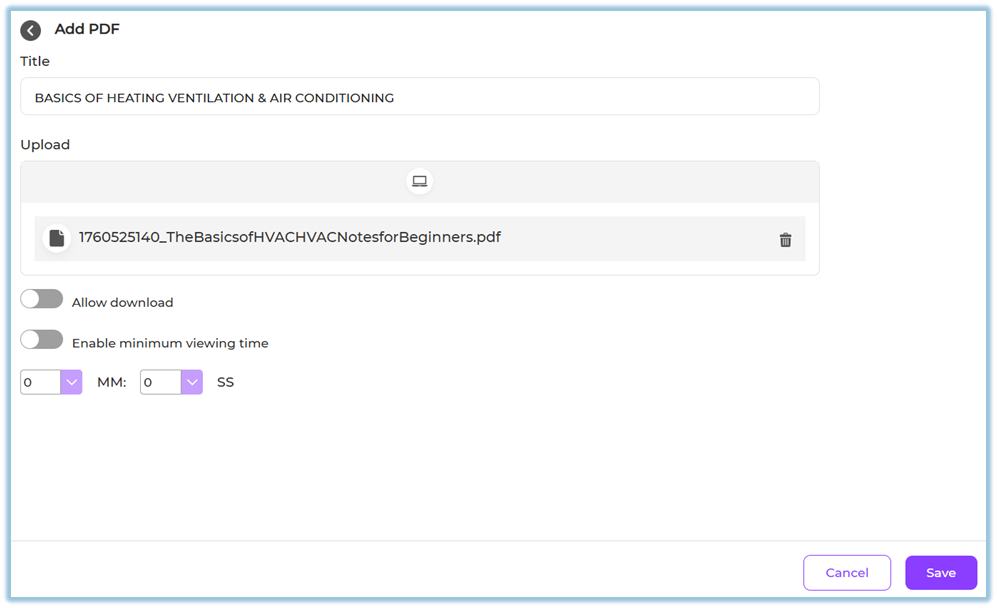
This is useful for manuals, policies, presentations, and detailed reading material.
d) Quiz
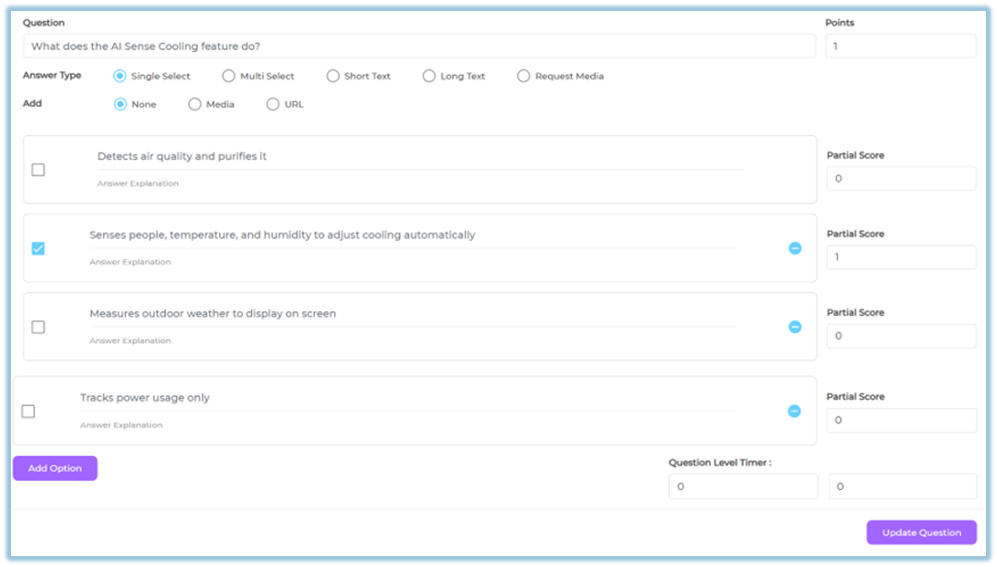
Use quizzes to assess learner understanding.
You can add the following question types:
-
Single select questions
-
Multi select questions
-
Text-based questions
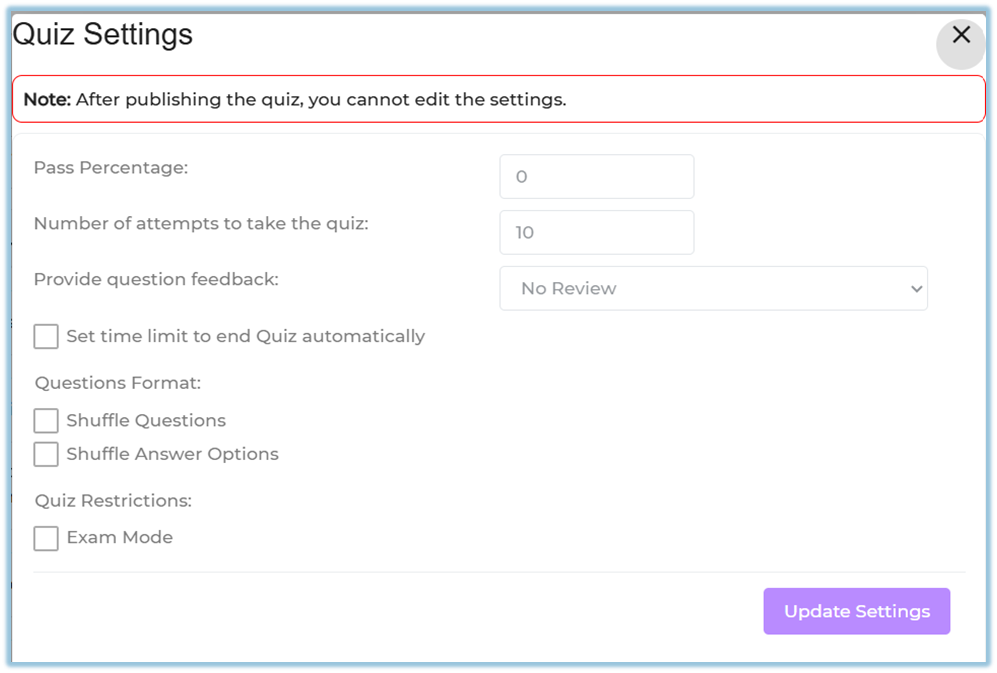
Quiz settings allow you to configure:
-
Points
-
Attempts
-
Feedback options
-
Time limits
-
Question and answer shuffling
Quizzes help validate learning and reinforce key concepts.
e) Learnbee
Learnbee is the built-in AI authoring tool in Bsharp Converse.
Using Learnbee, you can:
-
Convert training documents into interactive learning content
-
Generate learning cards and flipcards
-
Auto-generate quizzes
-
Add voiceovers
-
Translate content into multiple languages
https://help.bsharpcorp.com/books/content/page/make-content-for-training-in-learnbee
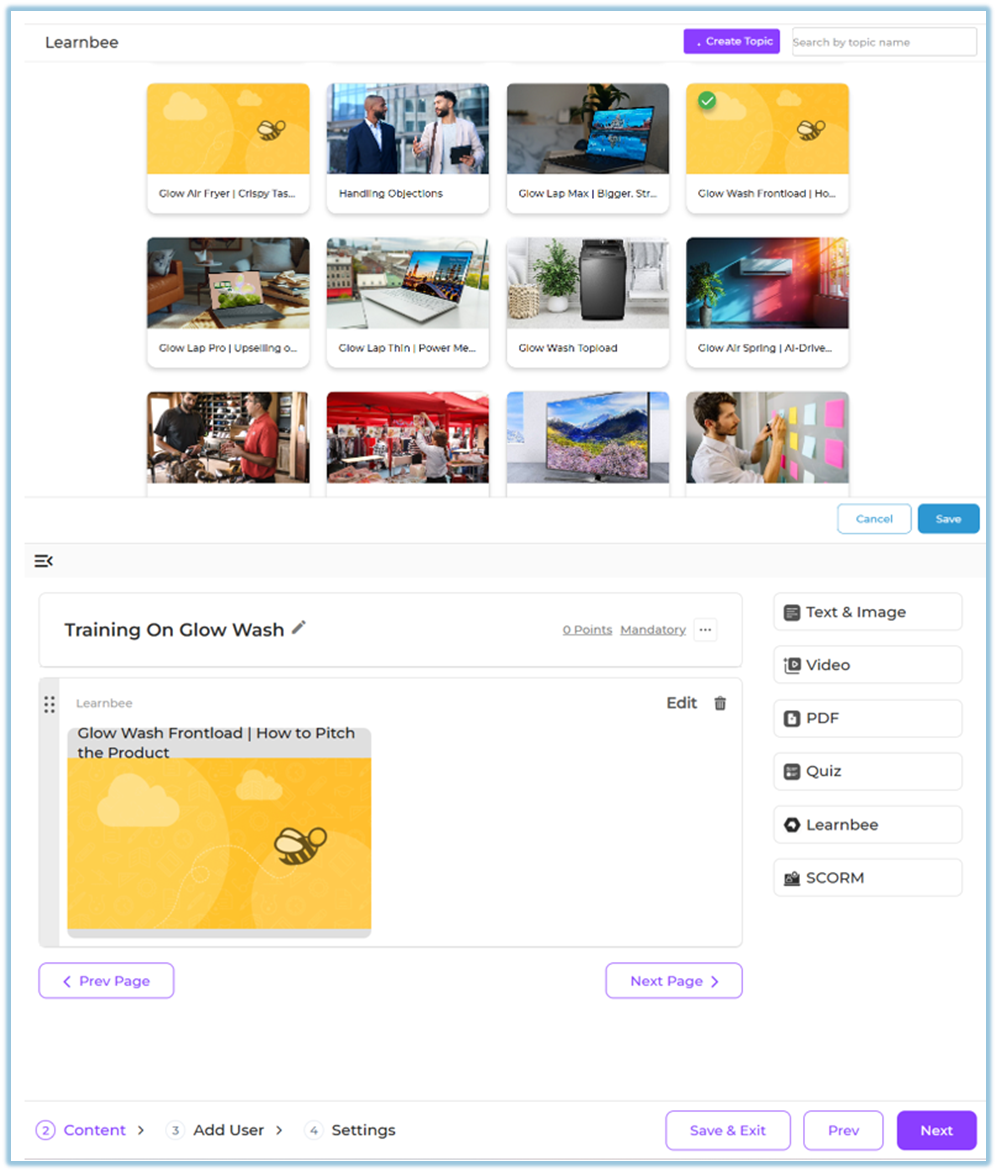
Learnbee content is ideal for fast, scalable, and multilingual content creation.
f) SCORM
SCORM content allows you to upload standard e-learning packages.
-
Upload a SCORM package file
-
Use it as a structured learning unit within the module
-
Track learner completion through standard SCORM reporting
This is useful when reusing content created in external authoring tools.
User View
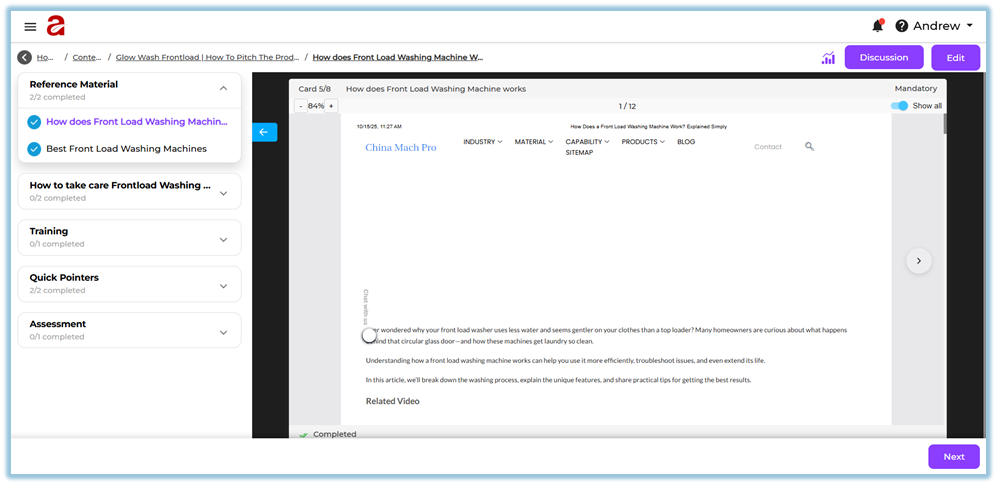
Learners experience content in a structured flow:
-
Sections and pages displayed in sequence
-
Text, images, videos, and PDFs shown inline
-
Quizzes appear as interactive assessments
-
Learnbee content opens as interactive cards
-
SCORM packages launch as learning activities
Reporting
Reporting for content types includes:
-
Page and content completion status
-
Quiz scores and attempts
-
SCORM completion tracking
-
Learner progress across sections and pages
Reports are available in the Reporting section of Converse.
Best Practices
-
Combine multiple content types for better engagement
-
Use Text & Image for concepts and explanations
-
Add quizzes after key learning sections
-
Use Learnbee for multilingual and AI-assisted content
-
Use SCORM only when standardized tracking is required
Related Links / FAQs
Q: Can I use multiple content types on one page?
Yes. A single page can contain multiple content items.
Q: Can AI-generated content be edited?
Yes. You can review and edit content before saving.
Q: Is multilingual support available for all content types?
Multilingual support is available through Learnbee-generated content.
Version Notes
Last Updated: 12 Dec 2025