
How do I drill through from a widget to raw rows?
1. Overview
Drill-through lets you click on a value in a widget — such as a chart bar, a pivot cell, or a table row — to see the raw underlying rows behind that number. This is useful when you want to understand what data makes up a particular total or category without leaving the dashboard.
2. When to Use
- You see a number on a chart or table and want to know which records make up that value
- You want to verify the data behind a KPI or summary
- You want to check individual submissions or entries for a specific category or date range
3. Concepts
Drill-Through – The action of clicking on a value in a widget to open a view of the raw data rows that make up that value.
Raw Rows – The individual records from your data source. For example, if a bar chart shows 50 submissions for a region, drilling through shows each of those 50 submissions as separate rows.
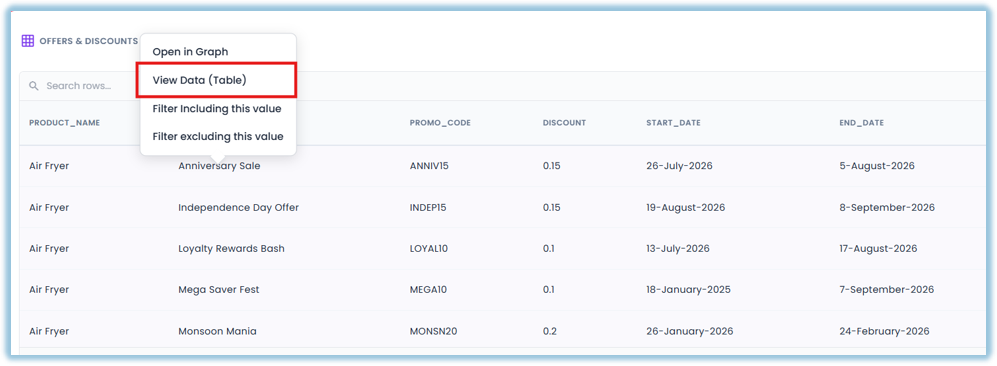
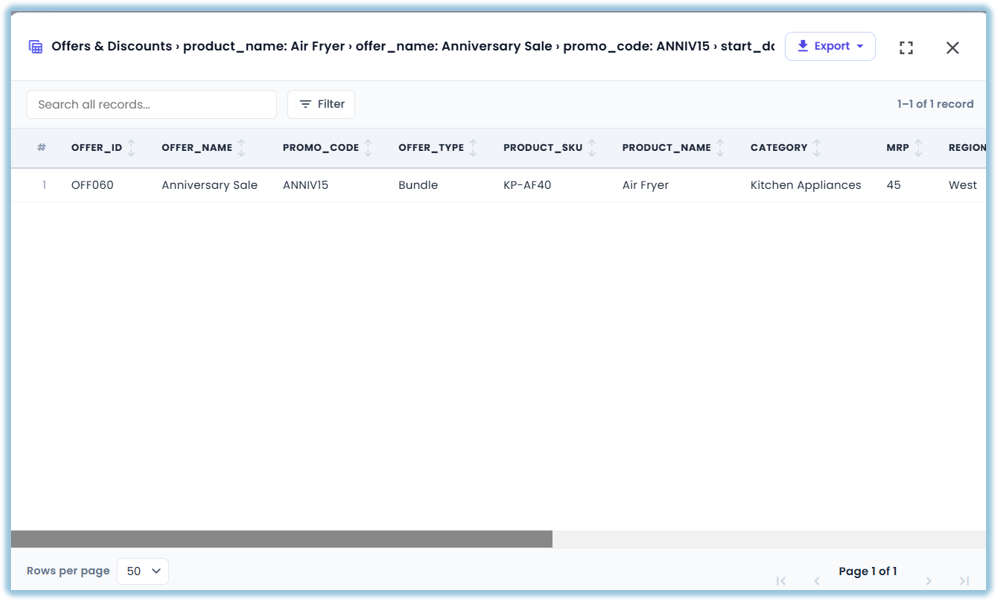
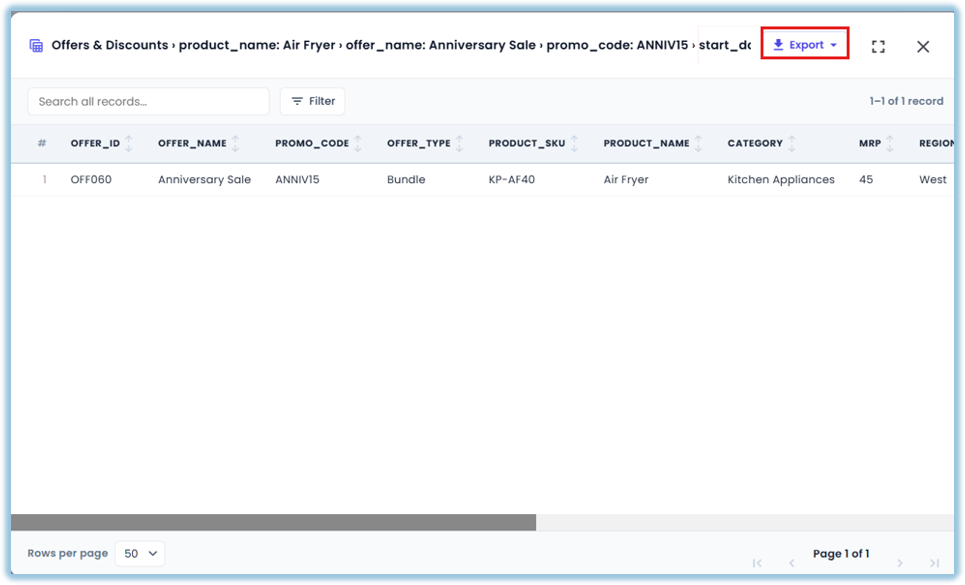
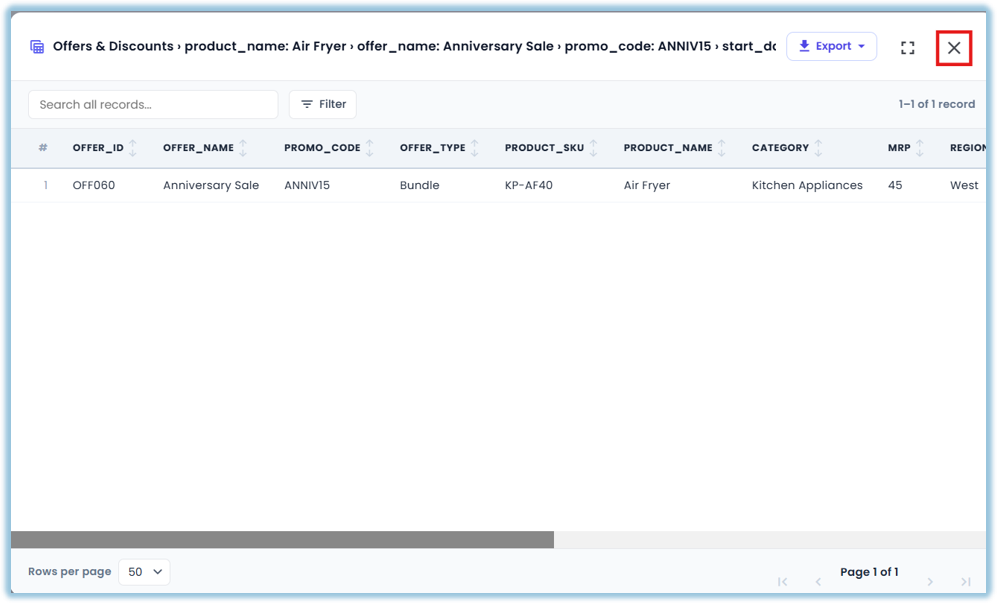
View Data – The screen that opens when you drill through, showing the raw rows in a table format. You can scroll, search, and export the data from here.
4. Set Up Guide
Open Vantage from the Vantage Dashboard widget on the Home Page and open the dashboard that has the widget you want to drill into.
- Click on a value in the widget — for example, a bar in a bar chart, a cell in a pivot table, or a row in a summary table
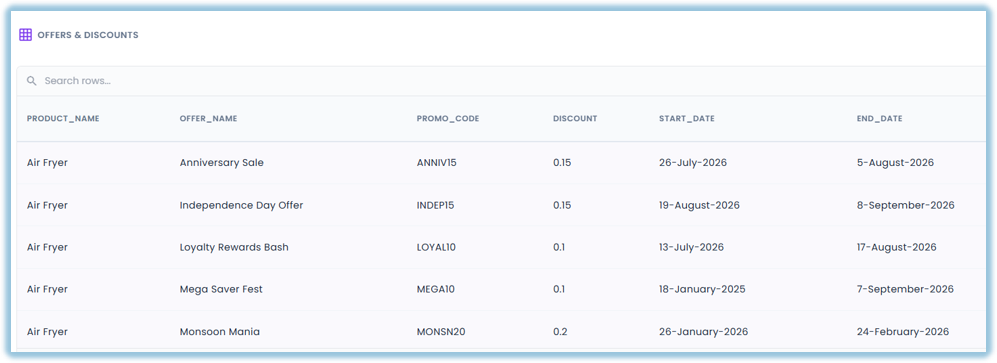
- The View Data screen opens showing the raw rows behind that value
- Scroll through the rows to review individual records
- To export the data, use the export option on the View Data screen
- Close the View Data screen to return to the dashboard
5. Related Links
How do I create a dashboard?
How do I add a widget to a dashboard?
How do I apply filters to a dashboard?
FAQs
Which widget types support drill-through? You can drill through from bar charts, line charts, donut charts, pie charts, combo charts, summary tables, and pivot tables.
Does drill-through change the dashboard data? No. Drill-through is read-only. It shows you the raw rows behind a value without changing anything.
Can learners use drill-through on shared dashboards? Yes. Learners can click on widget values to drill through and see the underlying rows, subject to any data filters or access rules the admin has set.
6. Version Notes
Last Updated: Oct 2026
No Comments