
Work Anniversary
1. Overview
The Work Anniversary feature automatically celebrates employee milestones based on their date of joining by posting congratulatory messages on the Feed.
2. When to Use This?
-
To recognize employee loyalty and tenure
-
To celebrate work milestones automatically
-
To strengthen employee motivation and retention
-
To reduce manual anniversary announcements
3. Concepts
-
Work Anniversary Post: An automated Feed post triggered based on the employee’s date of joining.
-
Celebration Bot: Automatically publishes anniversary posts.
-
Backend Setup: Anniversary messages and images are configured from Settings Centre.
4. Setup Guide (Admin Setup)
Step 1: Ensure User Details Are Available
While creating or updating a user:
-
Date of Joining must be entered
Without the date of joining, anniversary posts will not be triggered.
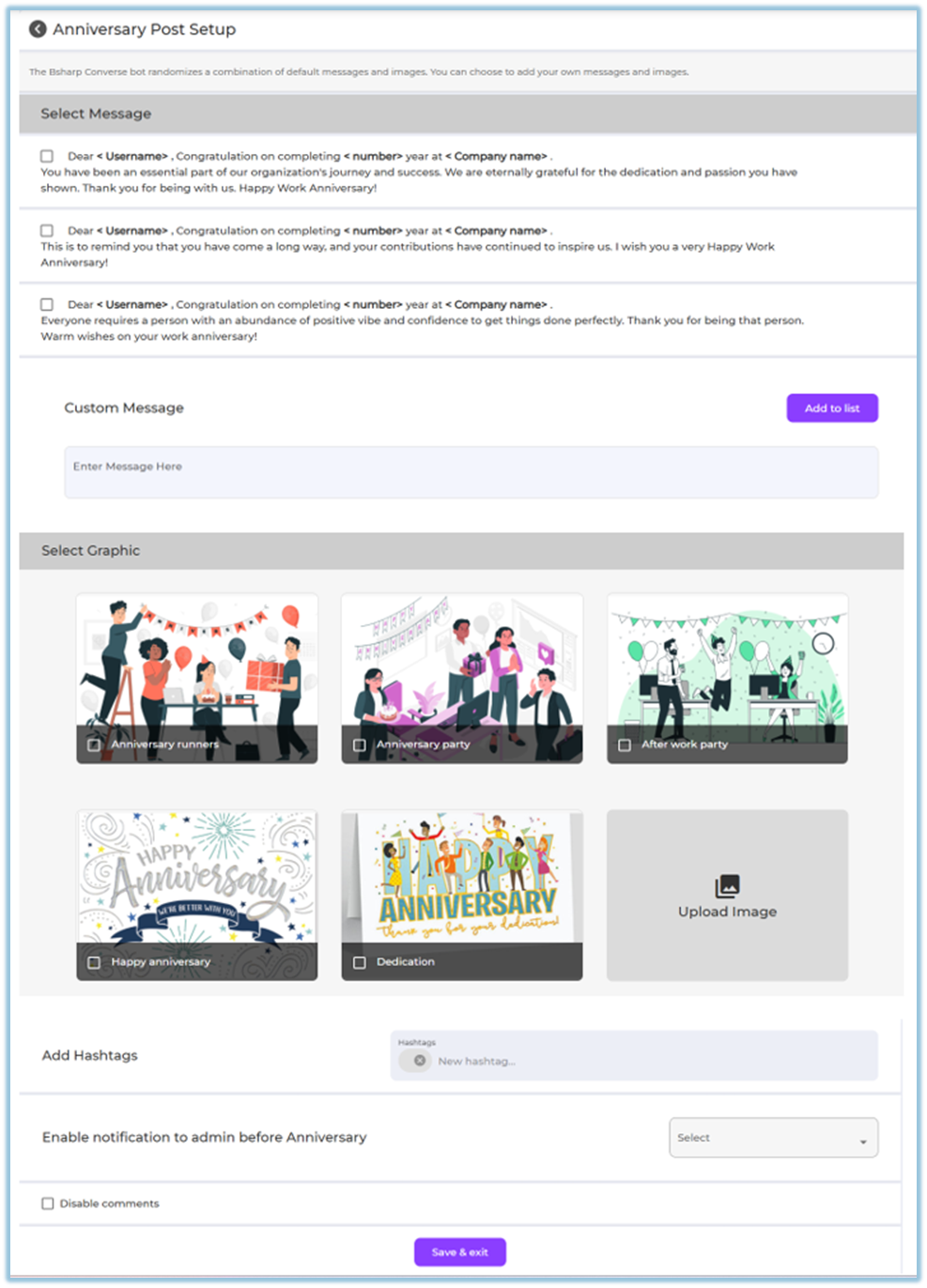
Step 2: Configure Work Anniversary Posts
-
Go to Menu → Settings Centre
https://converse.bsharpcorp.com/celebrate/settings_center -
Under Engagement Setup, click Anniversaries
https://converse.bsharpcorp.com/celebrate/anniversary_setup -
Select one or more default anniversary messages
-
(Optional) Add a custom message
-
Select a graphic/image
-
Or upload a custom image
-
-
(Optional) Add hashtags
-
(Optional) Enable notification to admin before anniversary
-
(Optional) Disable comments
-
Click Save & Exit
5. User View
-
The anniversary post appears automatically in the Feed
-
Posted by the Celebration Bot
-
Displays:
-
Personalized anniversary message (years completed)
-
Selected image or graphic
-
Reactions and comments (if enabled)

-
6. Reporting
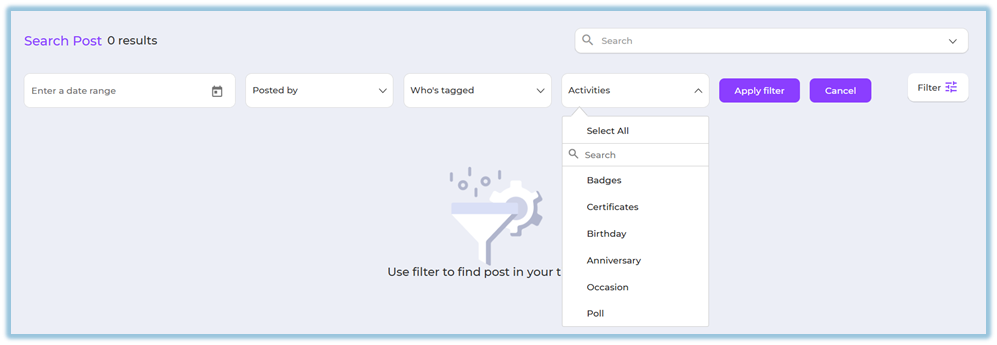
Work Anniversary posts can be tracked using Feed filters:
-
Go to Feed
-
Click Filter
-
Select Activities → Anniversary
-
Apply additional filters if needed
7. Best Practices & Tips
-
Ensure date of joining is correctly maintained
-
Use appreciation-focused messages
-
Enable comments to allow team congratulations
8. Troubleshooting / FAQs
Q: Can I edit a work anniversary post after publishing?
No. Work anniversary posts cannot be edited once published.
Q: Will the system calculate years automatically?
Yes. The system calculates years based on the date of joining.
Q: What happens if the date of joining is missing?
The work anniversary post will not be created.
9. Related Links
10. Version Notes
Last Updated: 24 Dec 2025