
Link to Flash Cards - from Learning of the Day
1. Overview
This feature allows Learnbee flash cards to be linked to Learning of the Day so that the same learning content can be delivered to users as daily cards. Once a Learnbee topic is published, it can be selected during Learning of the Day feed setup to control how many cards are released each day and when they appear to learners.
2. When to Use
Use this feature when:
-
Learnbee flash cards are already created and published
-
Training needs to be delivered in small daily portions
-
Learners should receive learning content on a scheduled basis
-
Existing learning cards must be reused without duplication
3. Concepts
-
Learnbee Topic
A published learning topic that contains flash cards created using Learnbee. -
Flash Cards
Individual learning cards used to deliver short, focused learning content. -
Learning of the Day Feed
A feed that delivers learning cards to users on a daily basis. -
Feed Setup
The configuration area where Learning of the Day is enabled and scheduled. -
Daily Card Scheduling
The setting that controls how many cards are shown per day and when they appear.
4. Set Up Guide
-
Publish the Learnbee topic that contains flash cards.
-
Open the Learnbee Library.
-
Click Feed Setup.
-
Enable Enable Learning of the Day Feed.
-
Click Select module for the feed.
-
Choose the published Learnbee topic.
-
Select Number of content card per day.
-
Select the Days to post learning card.
-
Select the Time to post learning card.
-
Click Save.
5. User View
Learners see a Learning of the Day section on the home page. Flash cards appear based on the configured schedule, and learners can start new cards or review completed ones.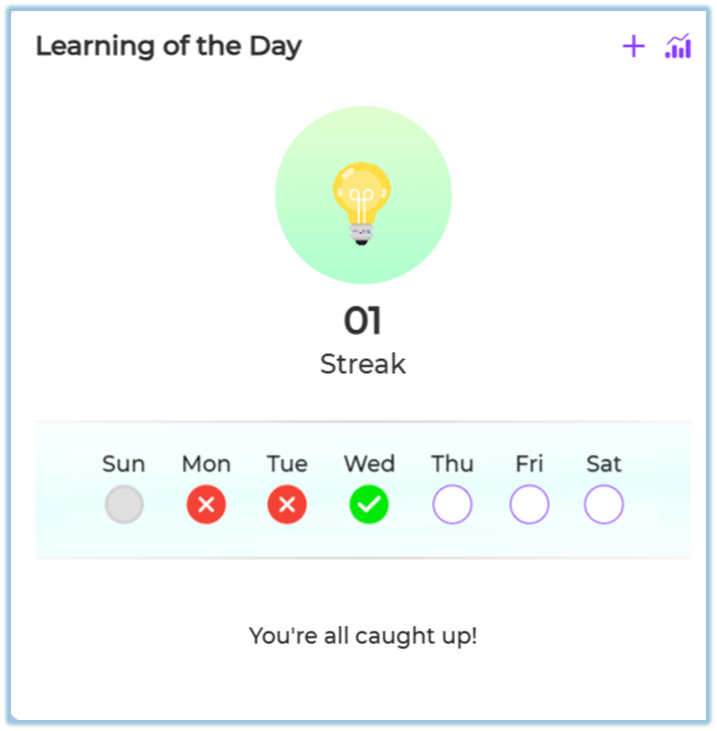
6. Best Practices
-
Ensure the Learnbee topic has enough flash cards before scheduling
-
Keep a consistent daily posting time
-
Use one topic per Learning of the Day feed for clarity
7. Related Links / FAQs
Q: Can the same Learnbee topic be used for training and Learning of the Day?
A: Yes. A published Learnbee topic can be reused.
8. Version Notes
Last Updated: 22 Dec 2025