
Copilot
1. Overview
Learning Copilot is an AI-powered learning assistant that helps learners quickly access learning information, receive personalized recommendations, and continue their learning journey. It provides instant answers to learning-related questions and allows learners to access Daily Learning, Learning Pathways, Knowledge Gaps, Achievements, and other learning resources from a single interface.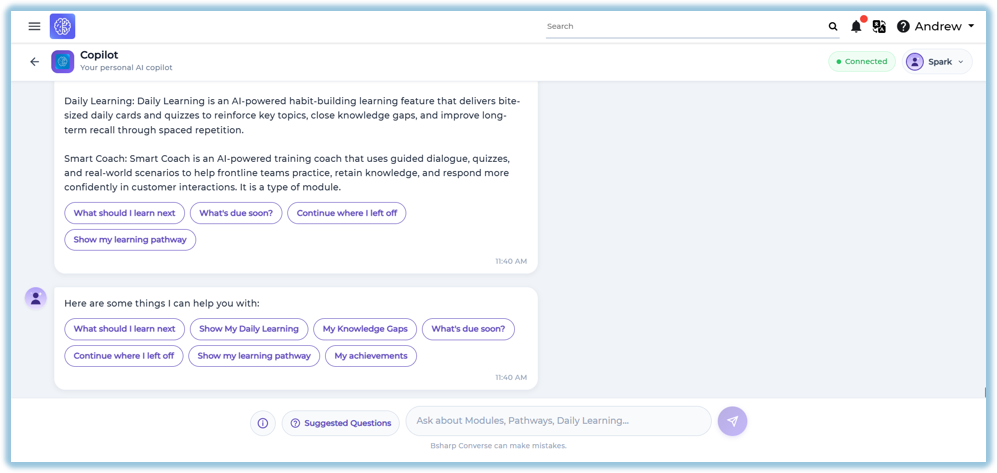
2. When to Use
Use Learning Copilot when you want to:
- Ask questions related to learning content.
- View Daily Learning recommendations.
- Continue previously started learning.
- View Learning Pathways.
- Identify Knowledge Gaps.
- Check upcoming learning activities.
- View learning achievements.
- Get quick definitions of learning features.
3. Concepts
- Learning Copilot – An AI-powered assistant that helps learners access learning information and recommendations.
- Suggested Questions – Predefined questions that provide quick access to common learning actions.
- Information – Displays brief definitions of the learning features available in Converse.
- Daily Learning – Shows AI-generated daily learning cards and quizzes assigned to the learner.
- Learning Pathway – Displays the learner's assigned learning journey and recommended next steps.
- Knowledge Gaps – Identifies learning areas where additional improvement is recommended.
- Continue Learning – Allows learners to resume modules or learning activities that are in progress.
- Achievements – Displays the learner's overall learning progress and accomplishments.
4. Set Up Guide
Access Learning Copilot
Learning Copilot can be accessed in either of the following ways:
Option 1 – Daily Learning Widget
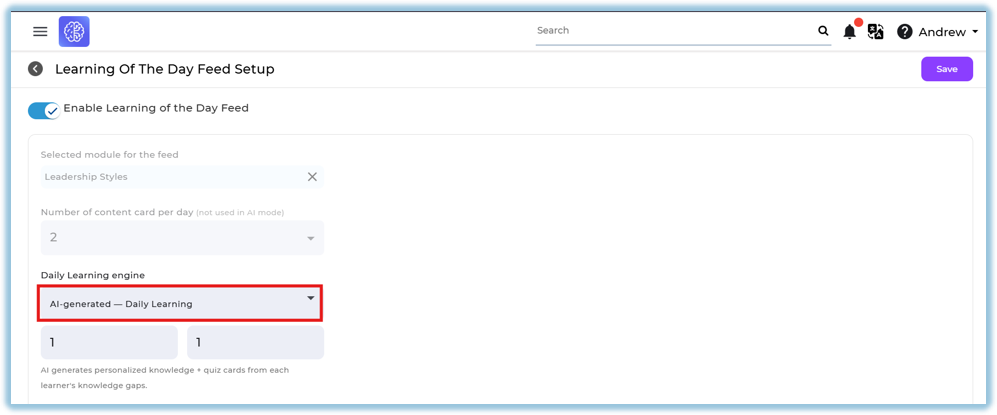
- Ensure AI Generated Mode is enabled in Feed Setup.
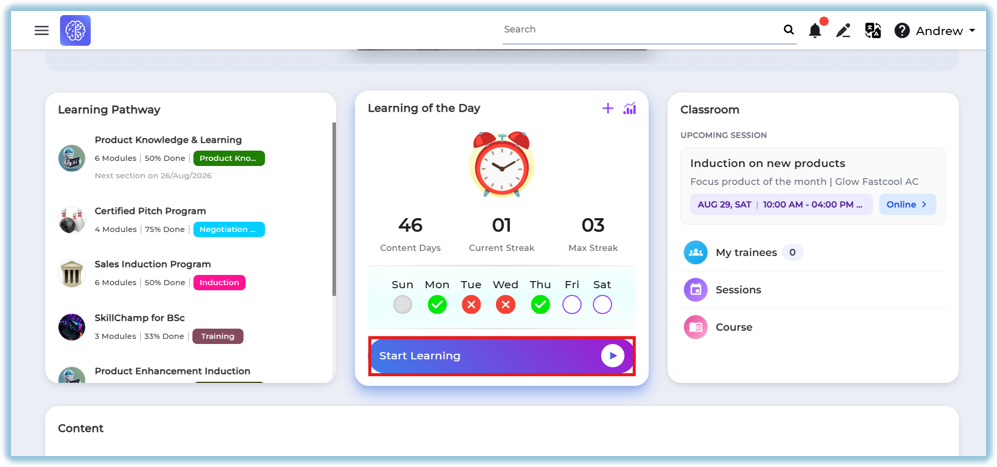
- Open the Home Page.
- Click the Daily Learning widget.
Option 2 – Custom Widget
- Open the Home Page.
- Click the configured Copilot custom
widget.widget.
Using Learning Copilot
-
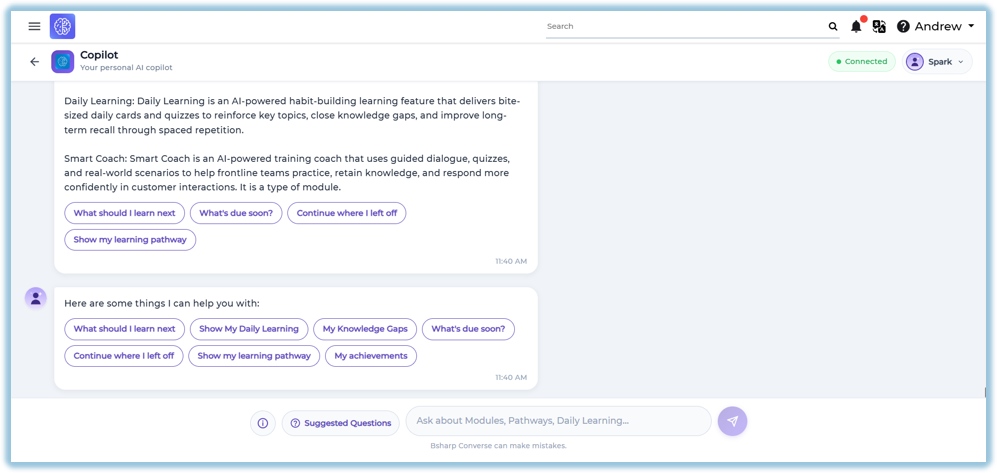
Enter your question in the search box.
OR
- Select one of the Suggested Questions.
- Review the AI-generated response.
5. User View
Information
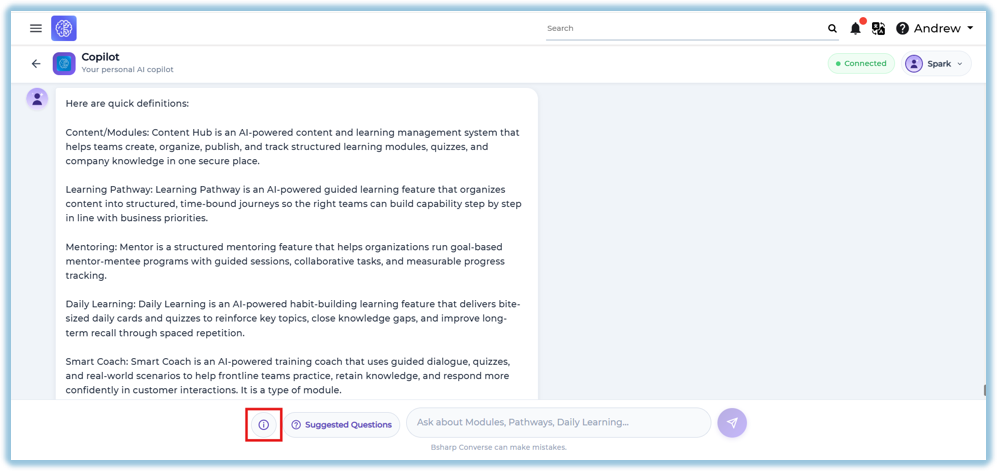
Click the Information icon to view quick definitions of available learning features.
The Information section includes:
- Content / Modules
- Learning Pathway
- Mentoring
- Daily Learning
- Smart Coach
Suggested Questions
Learners can select predefined questions such as:
- What should I learn next?
- Show My Daily Learning
- My Knowledge Gaps
- What's due soon?
- Continue where I left off
- Show my learning pathway
- My achievements
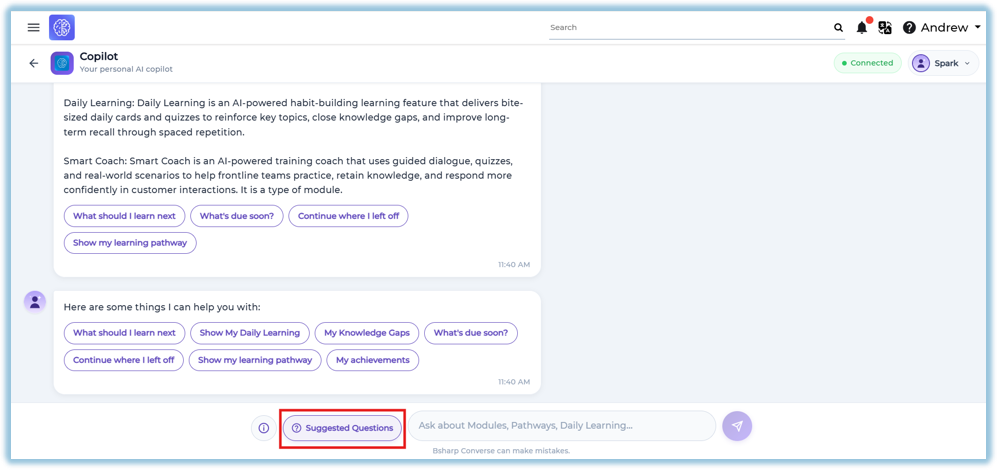
Selecting a question automatically generates the relevant response.
Daily Learning
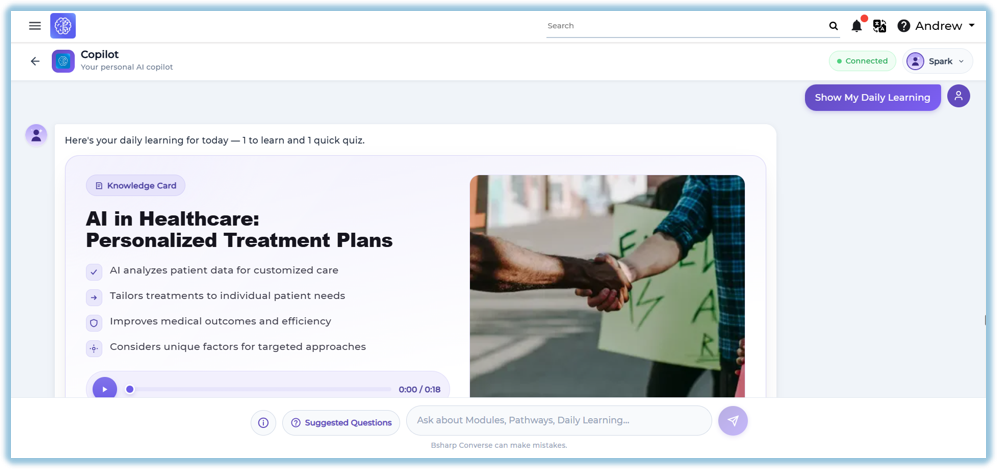
Displays the learner's daily learning content, including:
- Knowledge Card
- Learning summary
- Audio-supported learning (if available)
- Quiz (when applicable)
Knowledge Gaps
Shows recommended learning topics based on areas where additional learning is required.
Learning Pathway
Displays the learner's assigned learning pathways and recommends the next learning activity.
Continue Learning
Allows learners to resume previously started modules or activities.
My Achievements
Displays the learner's overall learning summary, including:
- Modules Completed
- Modules In Progress
- Pathways Completed
- Pathways In Progress
- Daily Learning Completed
- Coaching Completed
- Coaching Pending
Also displays a detailed learning snapshot.
6. Reporting
Learning Copilot does not provide a dedicated report.
Learner activities performed through Learning Copilot are reflected in their respective learning features, such as Modules, Daily Learning, Learning Pathways, and other applicable reports.
7. Best Practices
- Use Suggested Questions for quick navigation.
- Ask clear and specific learning-related questions.
- Complete Daily Learning regularly.
- Review Knowledge Gaps to improve learning.
- Use Continue Learning to resume unfinished activities.
- Monitor Achievements to track overall learning progress.
8. Troubleshooting & FAQs
Why am I not able to access Learning Copilot?
Ensure Learning Copilot is available through the Daily Learning widget or the configured Custom Widget.
Why are Suggested Questions not displayed?
Suggested Questions are available only when configured for Learning Copilot.
Why is Daily Learning not available?
Daily Learning is available only when learning content has been assigned.
Can I type my own questions?
Yes. Learners can enter their own learning-related questions in the input box.
Why do I see different recommendations than other learners?
Recommendations are personalized based on the learner's assigned content and learning activity.
9. Related Links
- Daily Learning
- Content (Modules)
- Learning Pathway
Mentor- Smart Coach
10. Version Notes
Last Updated: 06 Aug 2026