
Company Setup
1. Overview
Company Setup in the Settings Centre is where admins configure essential company-level settings that control how Converse behaves across the platform. This includes setting up company information, managing automated engagement posts, configuring Instant Answers channels, controlling homepage banners, and defining learning priorities used in learning pathways. These settings act as the foundation for branding, engagement automation, and learning structure in Converse.
2. When to Use
Use Company Setup when you need to:
-
Configure basic company details and branding
-
Set default timings for automated Feed posts
-
Manage Instant Answers channels
-
Add or manage homepage banners
-
Define learning priorities for Learning Pathways
3. Concepts
-
Company Info: Basic organization details and branding settings
-
Automated Posts Timing: Controls when system-generated posts are published
-
Answers Manager: Manages Instant Answers channels and knowledge base
-
Banner Setup: Controls images shown on the home page
-
Company Priority: Defines priority tags used in Learning Pathways
4. Setup Guide
4.1.A. Company Info
Path: Settings Centre → Company Setup → Company Info
https://converse.bsharpcorp.com/celebrate/company_setup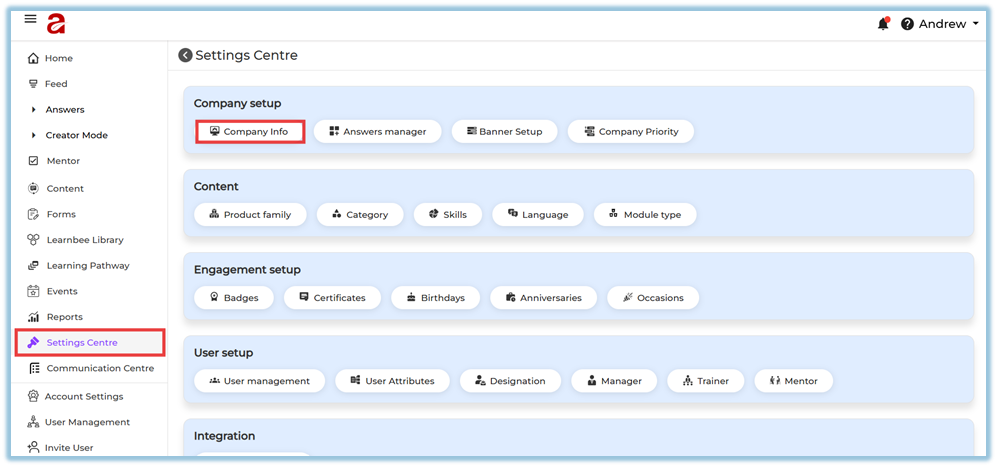
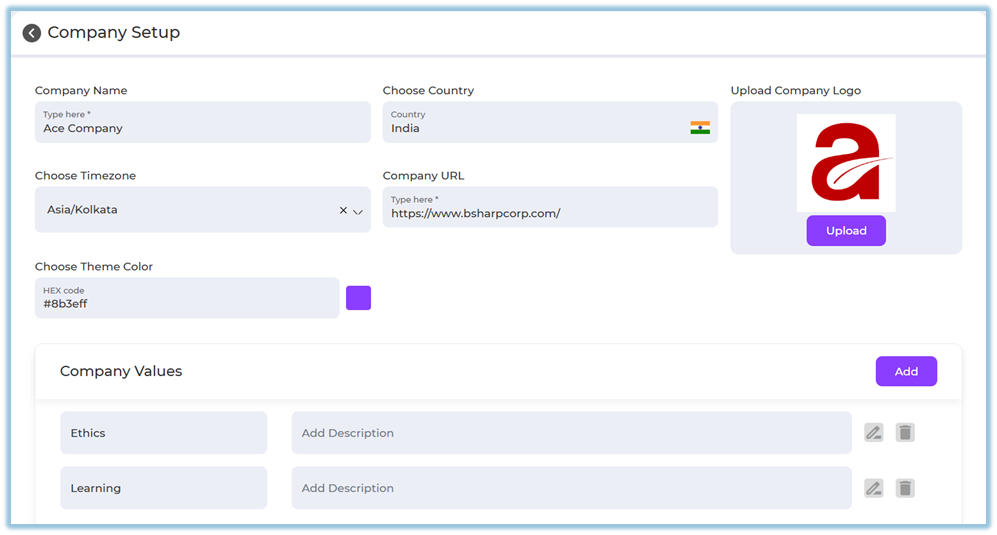
Configure the following details:
-
Company Name
-
Country
-
Time Zone
-
Company URL
-
Company Logo (upload from your system)
-
Theme Color (HEX code)
Company Values
-
Click Add to add a company value
-
Enter value name and description
-
Use Edit or Delete icons to manage values
Automated Posts Timing
This controls when system-generated posts (birthdays, anniversaries, occasions, daily thoughts) are published.
Options available:
-
Single time for all automated posts
-
Set one time (default: 9:00 AM)
-
-
Individual timing for each post type
-
Birthday Post
-
Anniversary Post
-
Occasions Post
-
Daily Thoughts Post
-
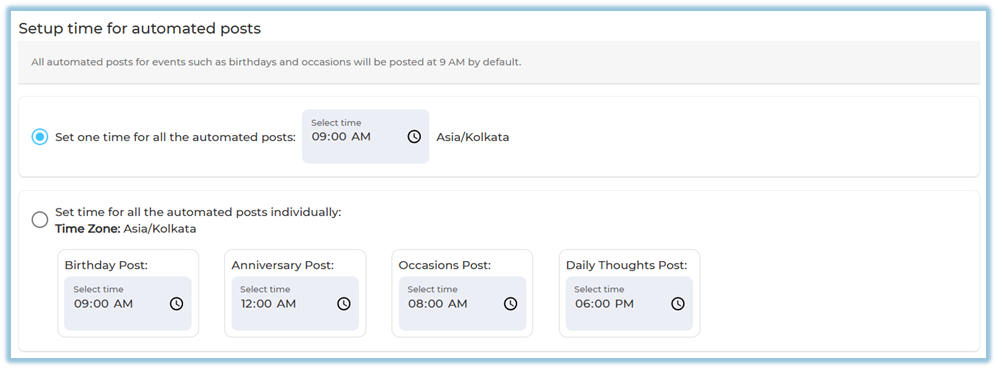
You can update the time anytime by clicking the clock icon.
Thought for the Day Setup
-
Enable Thought for the Day
-
Messages are posted automatically only when no birthdays or anniversaries exist for the day
-
Once enabled, you can view and edit the content

4.2.B. Answers Manager
Path: Settings Centre → Company Setup → Answers Manager
https://converse.bsharpcorp.com/celebrate/section-list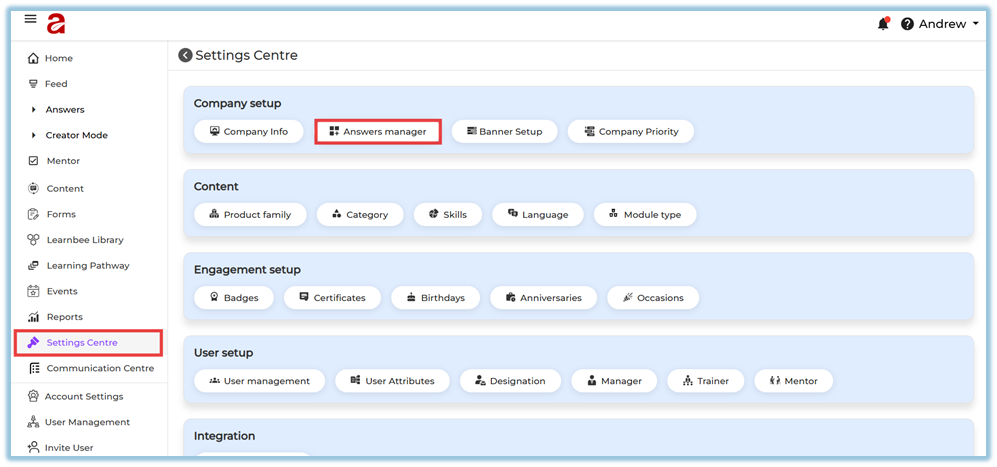
This opens the Channels page where you can:
-
View all Instant Answer channels
-
See channel details such as:
-
Channel ID
-
Channel name
-
Weightage
-
Created date
-
Number of documents
-
Published audience
-
-
Publish / Unpublish channels
-
Edit, Delete, or Add documents
-
Go to Chat directly from the channel
-
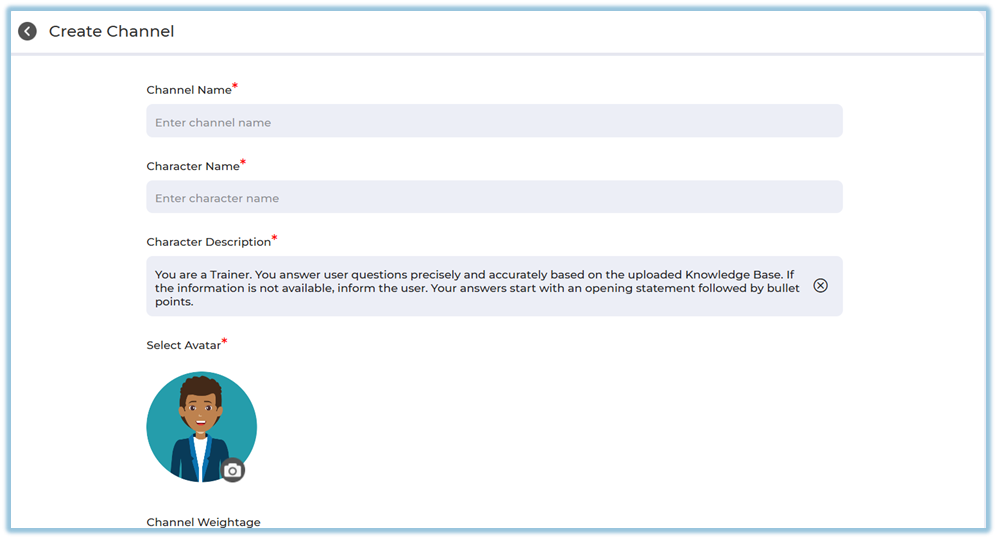
Create a new channel

Create Channel
https://help.bsharpcorp.com/books/instant-answers/page/how-to-set-up-instant-answers#bkmrk-4.-setup-guide
-
Enter channel name
-
Add character name and description
-
Select avatar
-
Set channel weightage
-
Save to create the channel
4.3.C. Banner Setup
Path: Settings Centre → Company Setup → Banner Setup
https://converse.bsharpcorp.com/celebrate/banner-setup
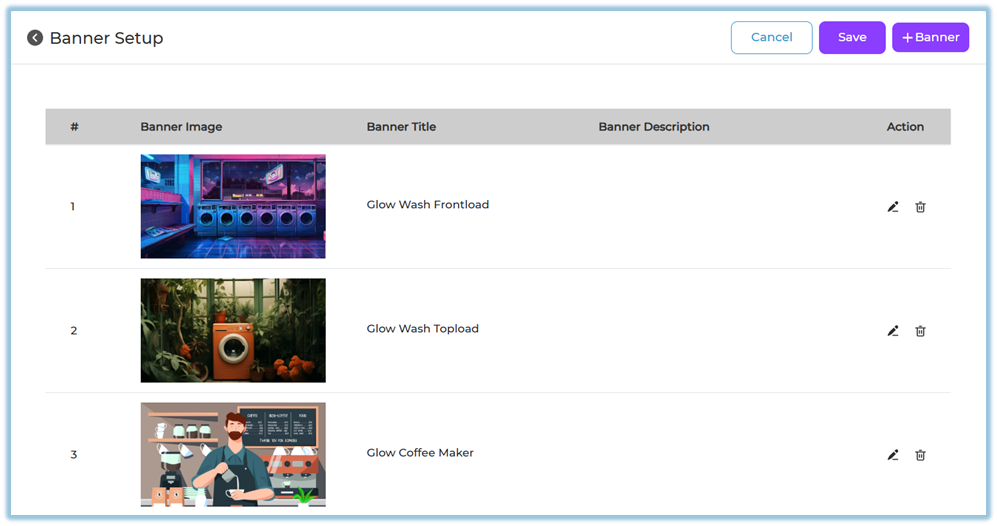
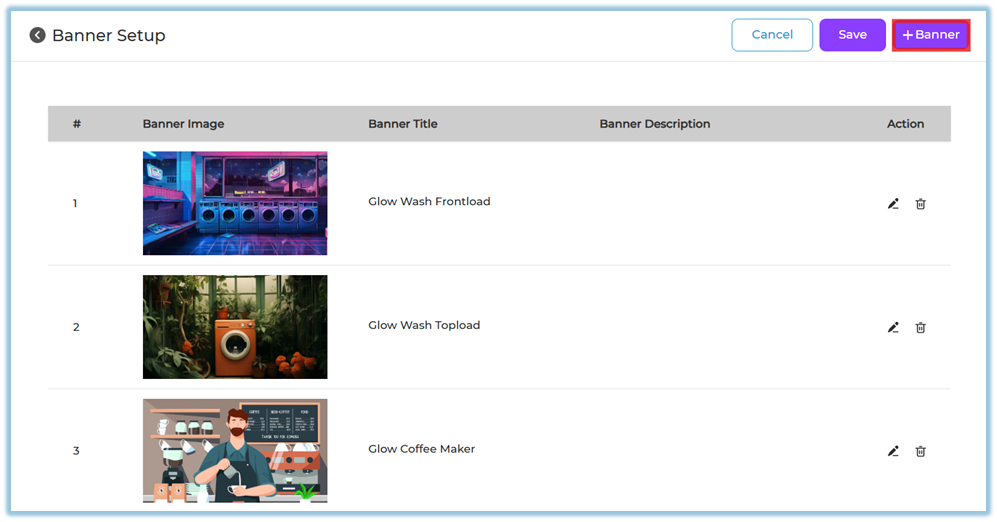
Used to manage banners shown on the home page.
You can:
-
Upload image (from system, Pixel library, or upload library)
-
Add banner title
-
Add banner description
-
(Optional) Add redirect link
-
Click Done
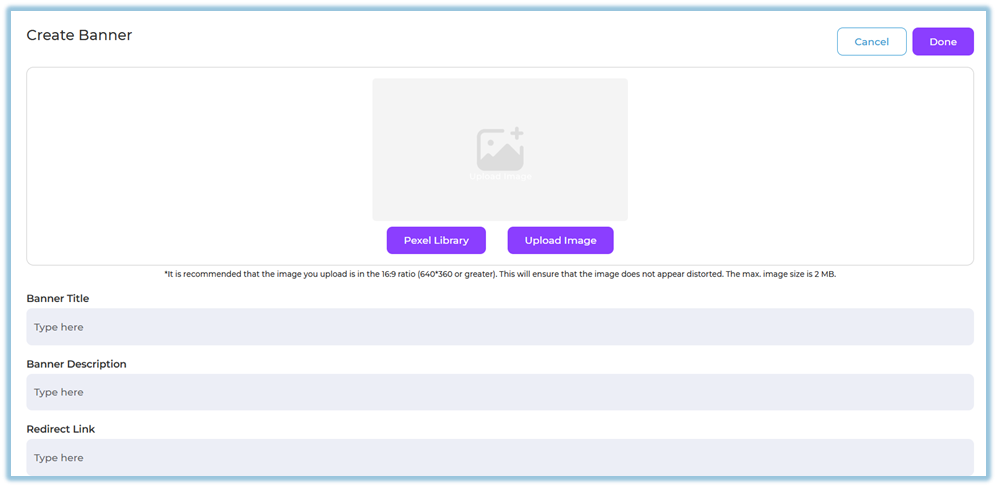
Recommended image ratio: 16:9 for best display (minimum 640×360, max size 2 MB).
4.3.D. Company Priority
Path: Settings Centre → Company Setup → Company Priority
https://converse.bsharpcorp.com/celebrate/learning-pathway/priority-setup
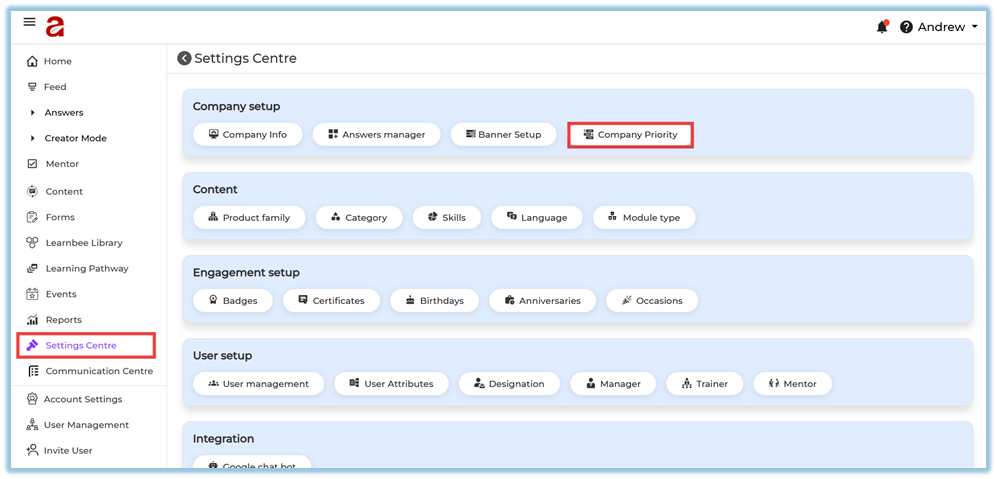
Company priorities are used while creating Learning Pathways.
Actions available:
-
Add new priority
-
Organize priorities under:
-
Top priorities
-
Other priorities
-
-
Reorder priorities
-
Delete priorities if needed
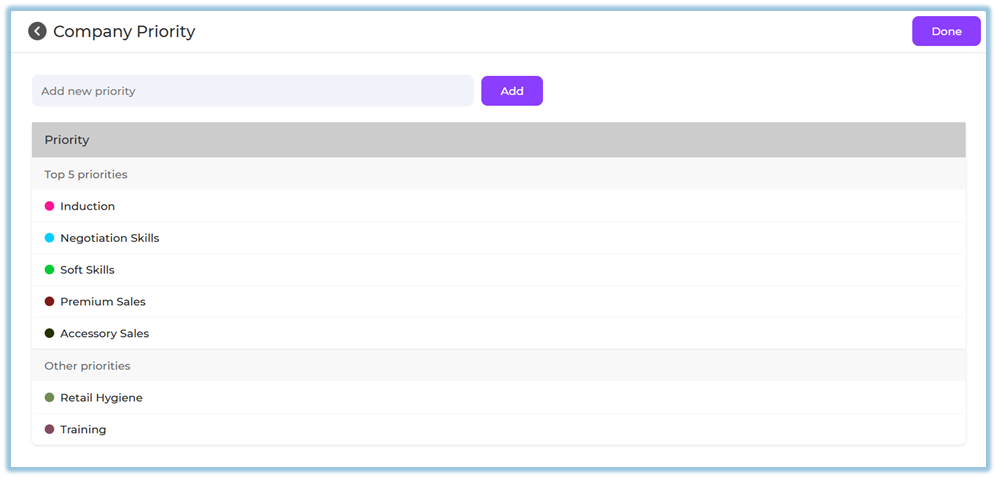
These priorities become selectable options inside Learning Pathway configuration.
5. User View
Company Setup is an admin-only configuration.
End users experience the impact indirectly through:
-
Branded interface
-
Timely automated posts
-
Homepage banners
-
Structured learning paths
-
Accurate Instant Answers
6. Reporting
Company Setup does not have direct reports.
However, its configurations affect reporting in:
-
Feed activity (automated posts)
-
Learning Pathway usage
-
Instant Answers consumption
7. Best Practices
-
Complete Company Info before onboarding users
-
Verify time zone before enabling automated posts
-
Use clear and consistent company values
-
Limit homepage banners to avoid clutter
-
Maintain meaningful and limited priorities for learning paths
8. Related Links / FAQs
-
Settings Centre
https://converse.bsharpcorp.com/celebrate/settings_center -
Instant Answers
https://converse.bsharpcorp.com/celebrate/section-list -
Learning Pathway
https://converse.bsharpcorp.com/celebrate/learning-pathway/list -
Banner Setup
https://converse.bsharpcorp.com/celebrate/banner-setup
9. Version Notes
Last Updated: 29 Dec 2025