
How to Create and Use Flex and Attribute Groups
1. Overview
Flex and Attribute Groups help admins assign users efficiently across features like Content, Learning Pathway, Smart Coach, etc.
Users can be assigned individually, by attributes, or using saved groups.
Attribute Groups automatically include users based on selected attributes like role, region, or department.
Flex Groups allow admins to manually select and group specific users for assignment.
2. When to Use
- When assigning users based on attributes like department, role, or region
- When creating reusable user groups across multiple features
- When manually grouping specific users for targeted assignments
- When managing large sets of users efficiently
3. Concepts
- Attribute Group
- Flex Group
- User Attributes
- Group Name
- Group Members
- User Management Storage
4. Set Up Guide
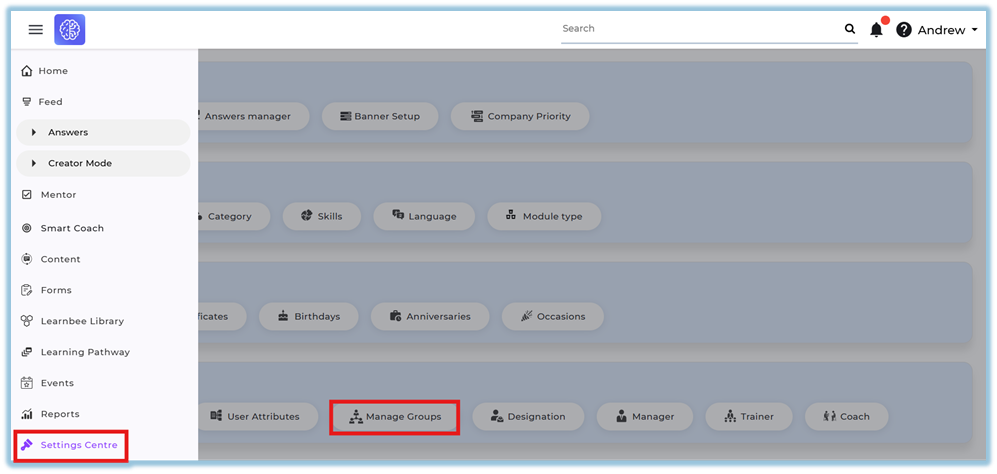
Access Manage Groups
- Click the menu
- Click Settings Centre
- Go to User setup
- Click Manage Groups
Create Attribute Group
- Select Attribute Groups tab
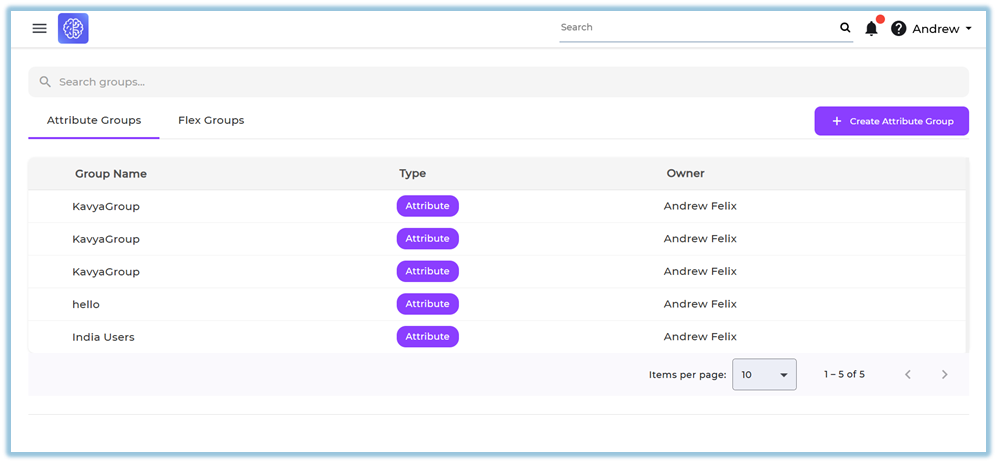
- Click Create Attribute Group
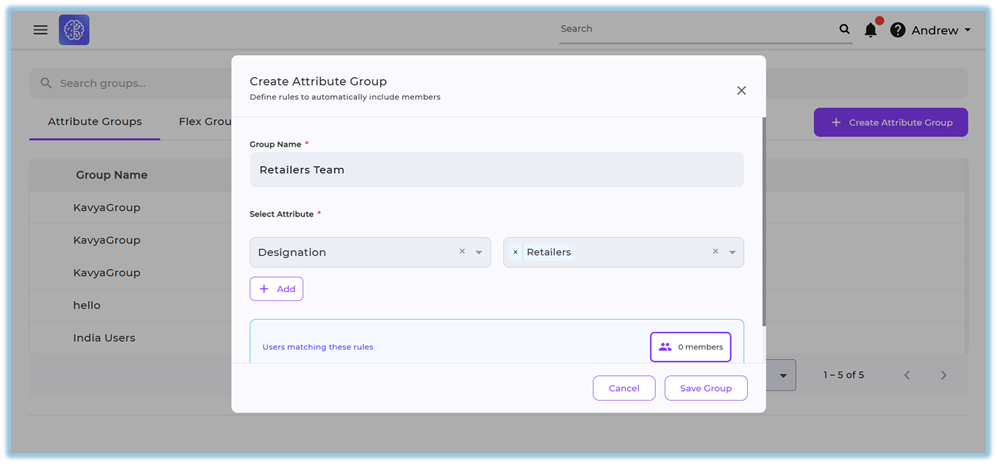
- Enter Group Name
- Select Attribute
- Enter Value
- Click Add (to include multiple attributes if required)
- View users matching the rules
- Click Save Group
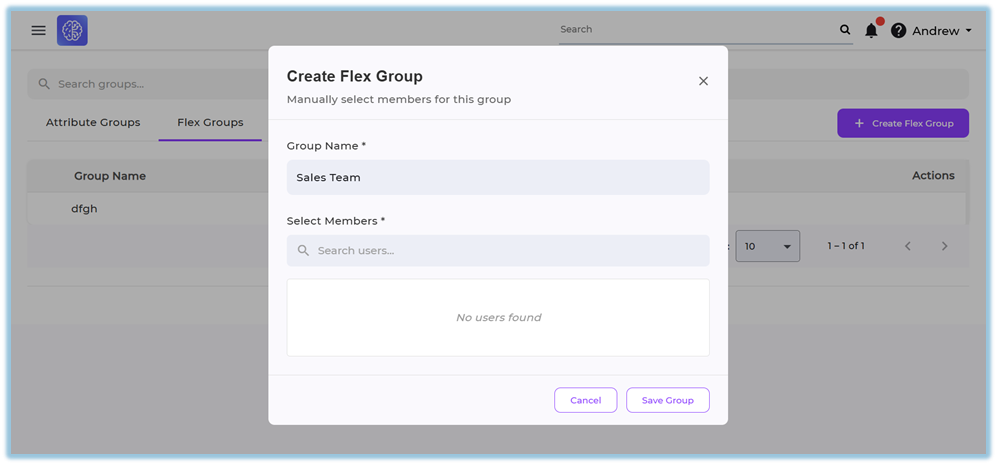
Create Flex Group
- Select Flex Groups tab
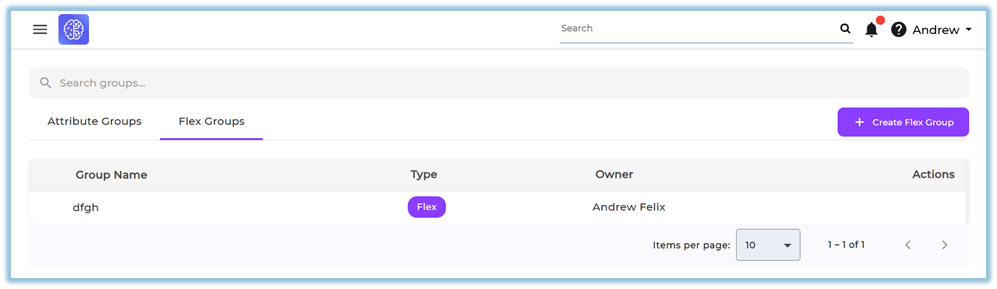
- Click Create Flex Group
- Enter Group Name
- Search and select users in Select Members
- Click Save Group
5. User View
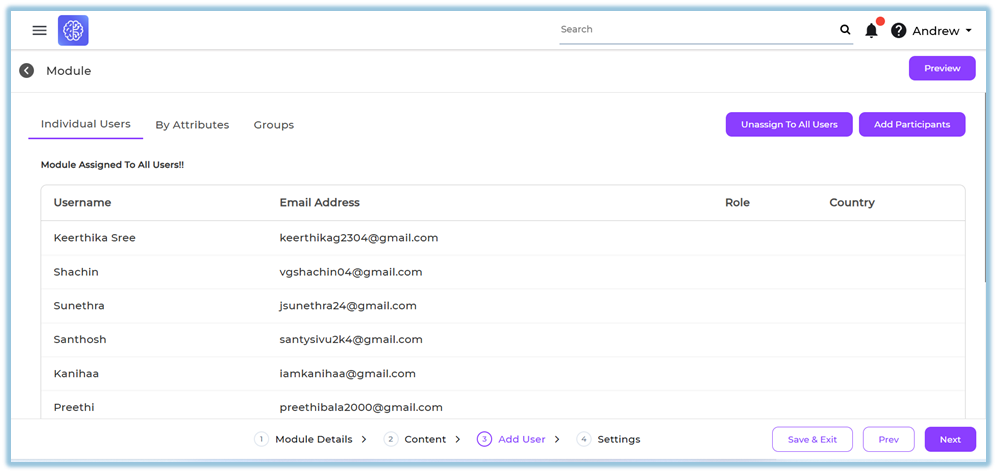
- While assigning users in features like Content, Learning Pathway, Smart Coach, etc., the Add Users section is shown
- The following tabs are available:
- Individual Users → Select users manually
- By Attributes → Select users based on attributes
- Groups → Select from saved Attribute Groups and Flex Groups
- Admin can:
- Search users
- Assign to all users
- Add selected users using Add Participants
6. Best Practices
- Use Attribute Groups for rule-based user selection
- Use Flex Groups for manual user grouping
- Keep group names clear and meaningful
- Reuse existing groups instead of creating duplicates
- Validate users before saving the group
7. Related Links / FAQs
Q: Who can create groups?
Only admins can create groups.
Q: Where are groups stored?
User groups are stored in User Management.
Q: Can groups be reused across features?
Yes, groups can be reused across features like Content, Learning Pathway, Smart Coach, etc.
8. Version Notes
Last Updated: 02 Mar 2026
No Comments