
Occasions
1. Overview
The Occasions feature allows admins to configure and manage festival and special-day posts that are automatically published on the Feed. It helps organizations celebrate national events, festivals, and special occasions in a timely and consistent manner without manual posting.
2. When to Use
-
To automatically celebrate festivals and special occasions
-
To maintain consistent engagement across regions and countries
-
To avoid manual posting for recurring or fixed-date events
-
To improve employee engagement through timely celebration posts
3. Concepts
-
Occasion: A festival or special day configured with a date, image, and wish message.
-
Country-based Occasions: Occasions are enabled based on the selected country.
-
Active / Inactive Status: Occasions can be enabled or disabled as needed.
-
Automated Post: An occasion post is automatically published on the configured date.
4. Set Up Guide
Access Occasion Setup
-
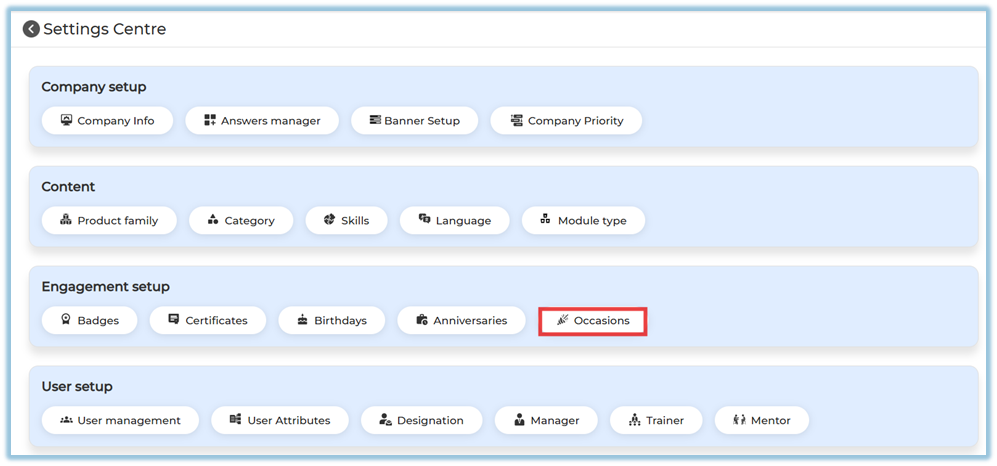
Go to Menu → Settings Centre
https://converse.bsharpcorp.com/celebrate/settings_center -
Under Engagement Setup, click Occasions
Configure Country
-
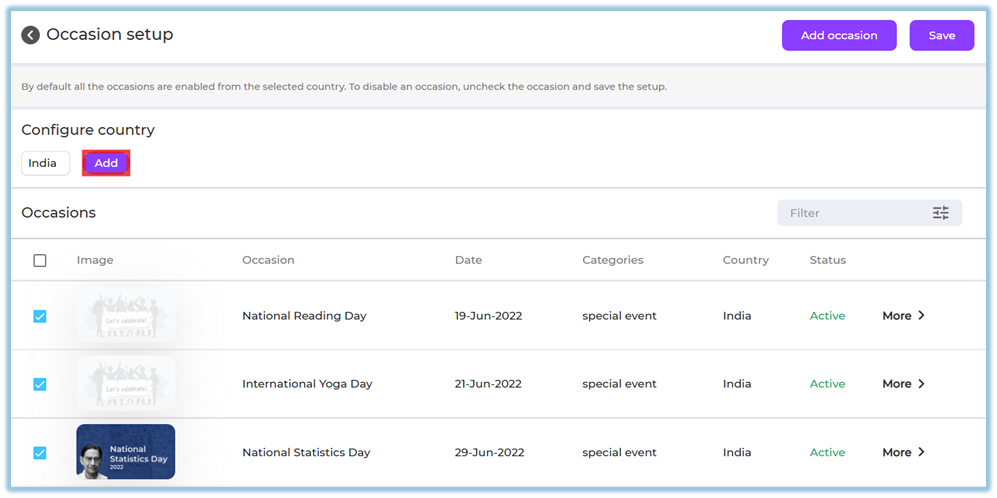
By default, occasions are loaded based on the selected country
-
Click Add to include a country if required
-
All occasions for the selected country are enabled by default
Enable or Disable Existing Occasions
-
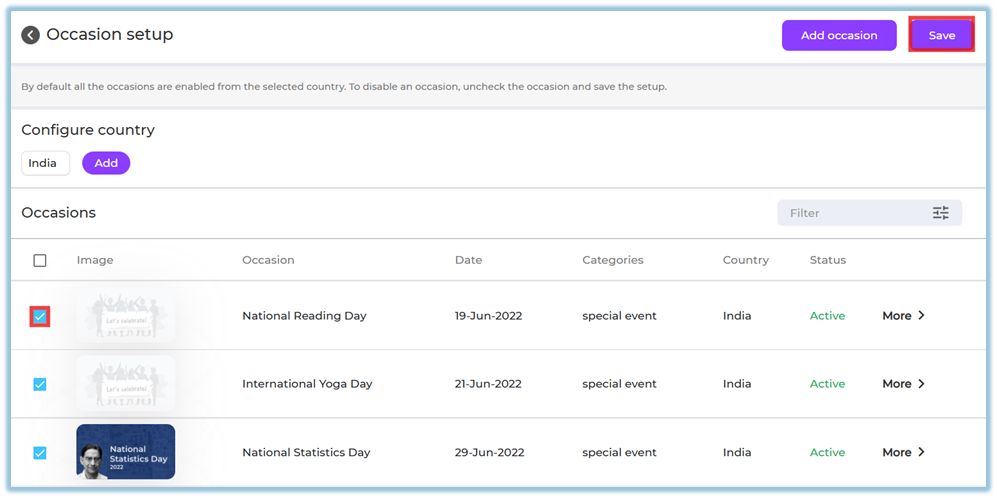
Use the checkbox to enable or disable an occasion
-
Uncheck an occasion if you do not want it to be posted
-
Click Save to apply changes
Add a New Occasion
-
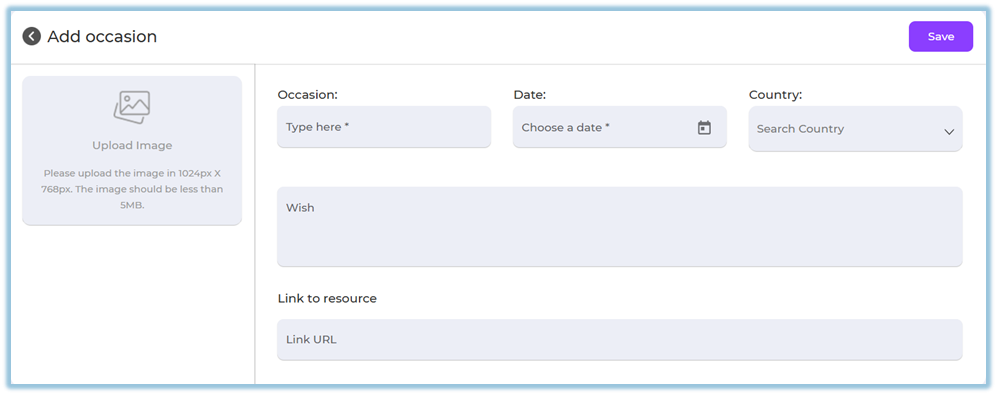
Click Add Occasion
-
Upload an image
-
Recommended size: 1024 × 768 px
-
Maximum size: 5 MB
-
-
Enter Occasion Name
-
Select the Date
-
Choose the Country
-
Add a Wish message
-
(Optional) Add a Link to Resource
-
Click Save
Filter Occasions
Use the Filter option to search occasions by: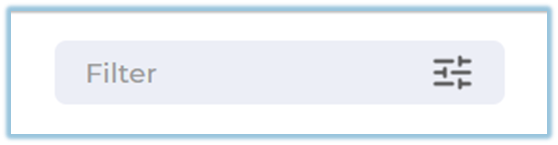

-
Year
-
Month
-
Category
-
Country
-
Status
5. User View
-
Occasion posts appear automatically in the Feed on the configured date
-
Posts display:
-
Occasion image
-
Occasion name
-
Wish message
-
-
Users can react and engage with the post

6. Reporting
-
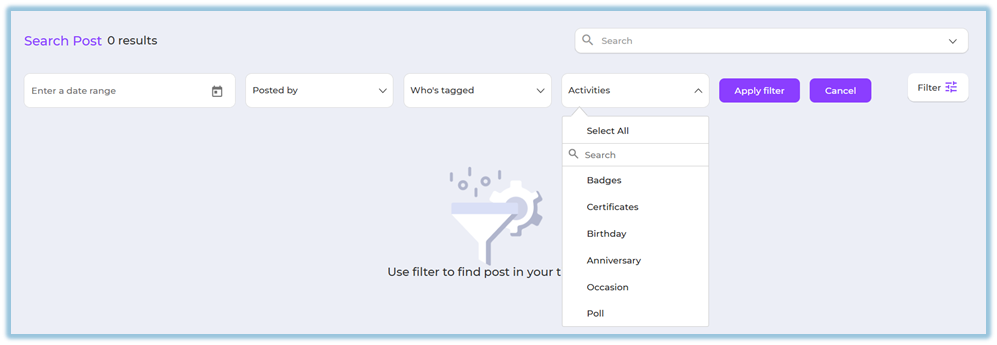
Occasion posts can be tracked using Feed filters
-
Filter by:
-
Activity type → Occasions
-
Date
-
7. Best Practices
-
Review and disable irrelevant occasions for your organization
-
Use clear and festive images
-
Keep wish messages simple and inclusive
-
Configure country-specific occasions carefully
-
Save changes after every update
8. Related Links / FAQs
9. Version Notes
Last Updated: 29 Dec 2025
No Comments