
How do we create a form with Templates
1. Overview
Creating a form using templates allows admins to quickly build forms in Bsharp Converse by using pre-defined structures. Templates help standardize form creation across different use cases while allowing edits before the form is finalized.
2. When to Use
Use this option when:
-
You want to create a form using an existing structure
-
You need standard forms for sales, HR, education, or marketing use cases
-
You want to avoid creating forms manually from scratch
-
You want to edit a pre-built form before assigning it to users
3. Concepts
-
Forms – Data collection items created for users
-
Templates – Pre-built form structures available by category
-
Form Categories – Groupings such as Sales, Education, HR, Marketing
-
Form Builder – Editor used to review and modify the template
-
Save – Action used to store the created form
4. Set Up Guide
-
Open the menu and go to Forms.
https://converse.bsharpcorp.com/form_builder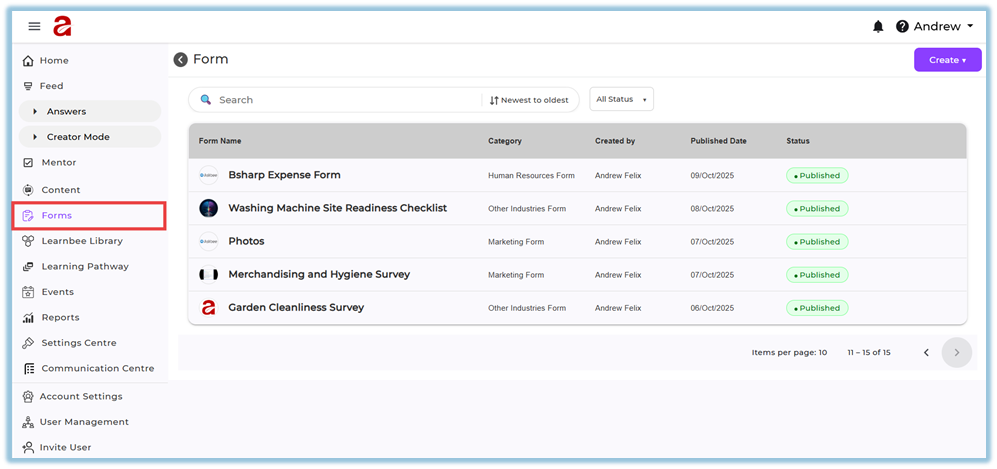
-
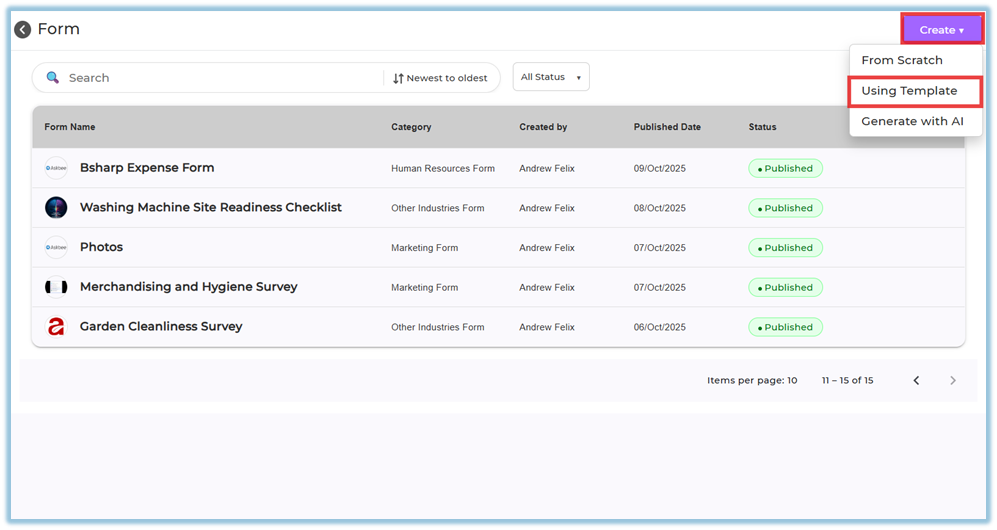
Click Create on the top-right corner.
-
Select Using Template.
-
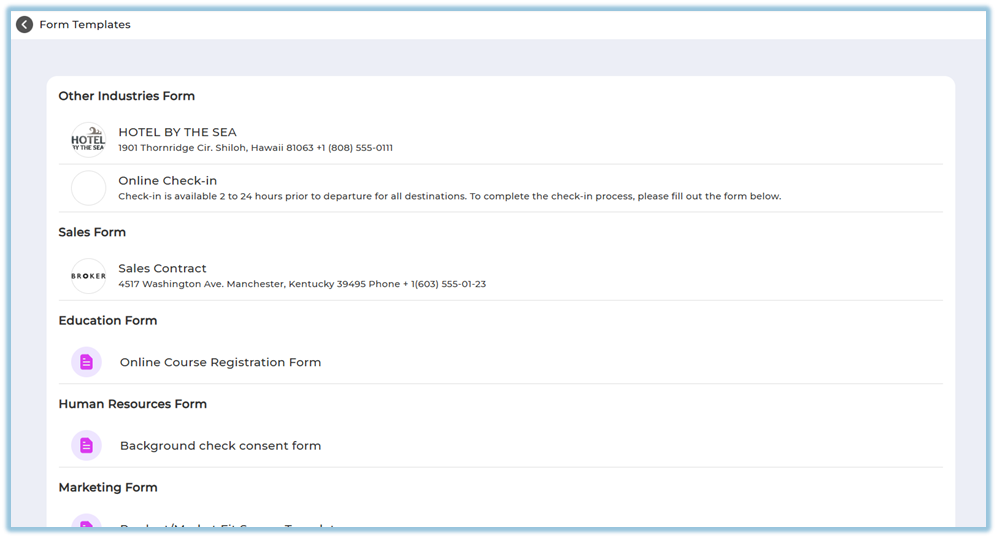
View the available template categories such as:
-
Other Industries Form
-
Sales Form
-
Education Form
-
Human Resources Form
-
Marketing Form
-
-
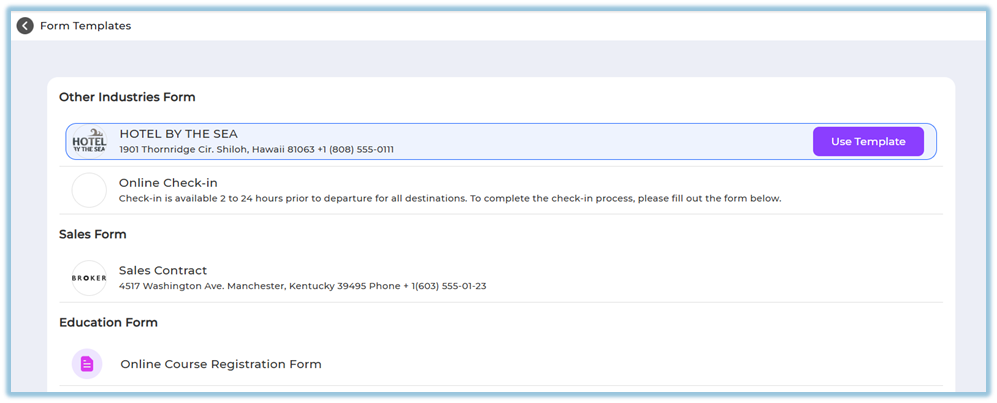
Choose a required template and click Use Template.
-
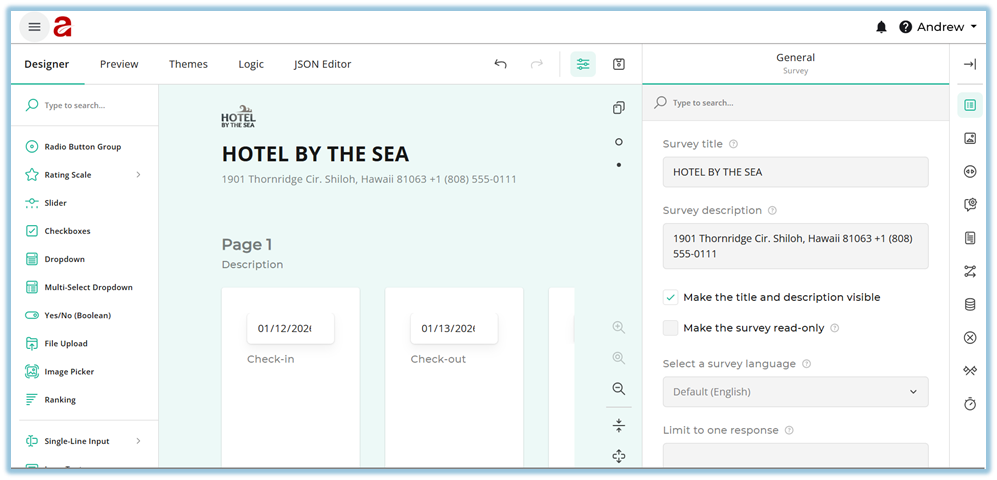
Review the form structure created from the template.
-
Edit the form fields if required (add, remove, or modify fields).
-
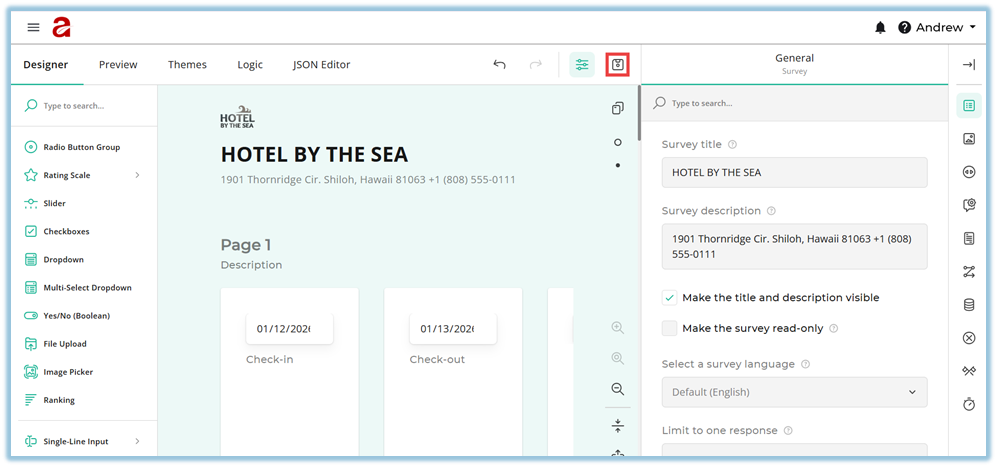
Click Save to save the form as a draft.
-
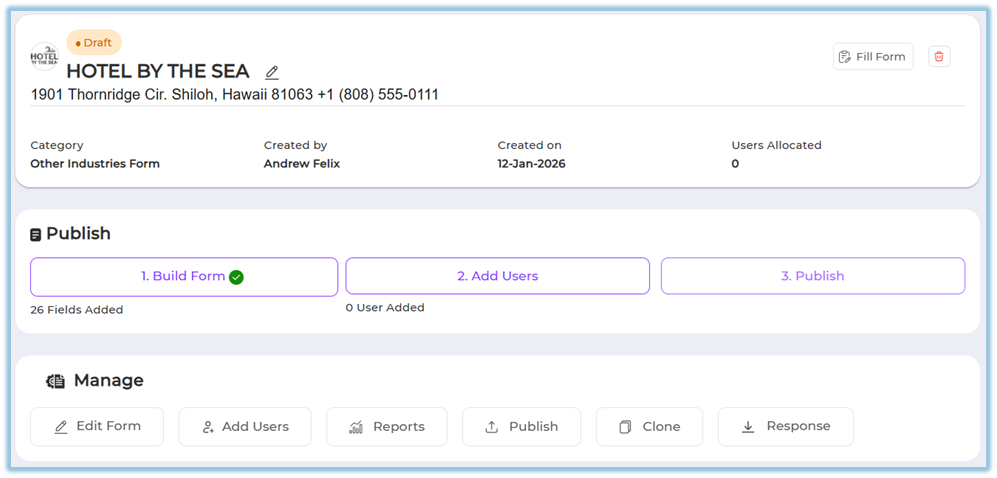
After saving, the form appears in the Forms list with Build Form completed.
-
Open the saved form and select Add Users.
-
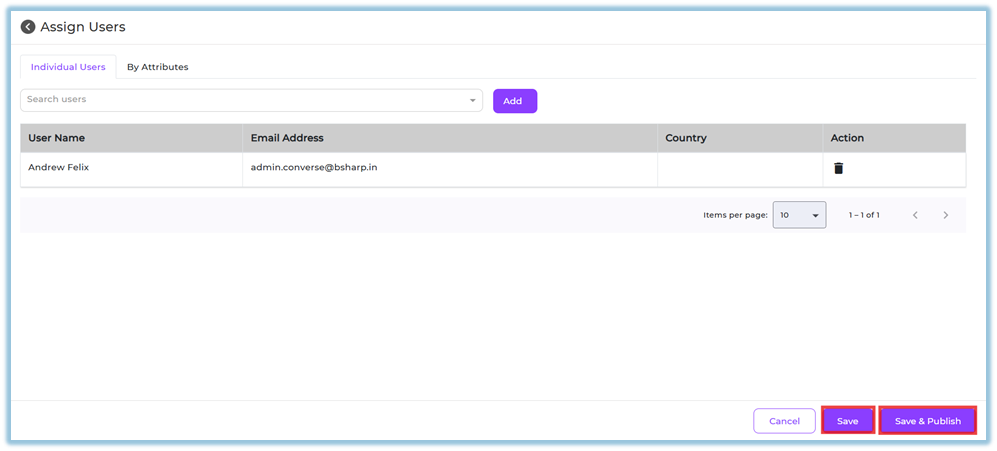
Add users using one of the following methods:
-
Individual Users – select and add specific users
-
By Attributes – select attribute groups or create new attribute rules
-
-
Click Save to keep the form editable, or Save & Publish to publish the form.
Note:
-
Once a form is published, it cannot be edited.
-
Saving without publishing allows you to return and edit later.
5. User View
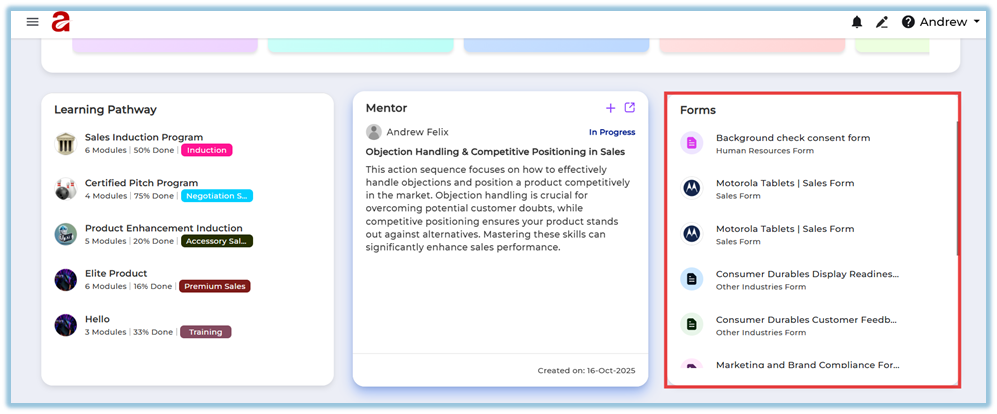
If the form is assigned to users, it appears on the Home page.
-
Users scroll down on the Home page.
-
Forms are visible under the Forms section.
-
All assigned forms are listed in this section for easy access.
6. Reporting
-
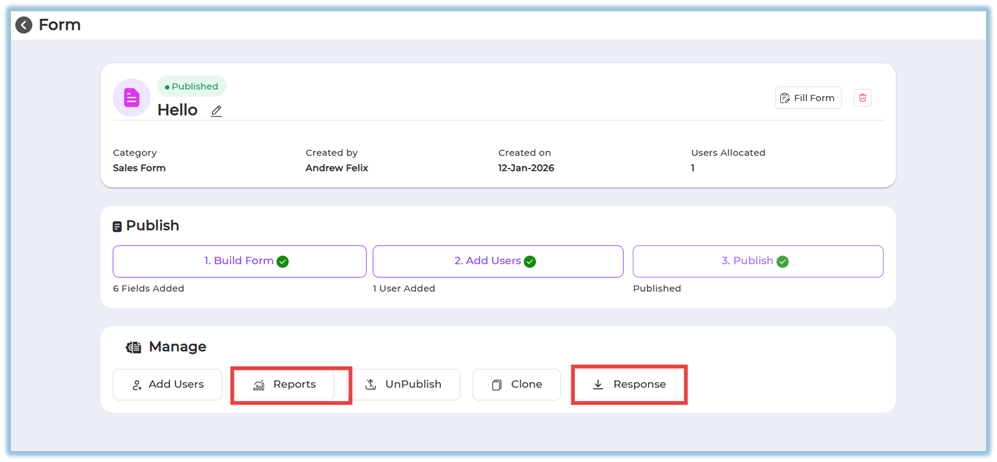
Form responses can be viewed after the form is published.
-
Reports and responses are accessible from the Manage section of the form.
-
Downloaded responses are available once users start submitting the form.
7. Best Practices
-
Review and finalize all form fields before publishing
-
Use templates to maintain consistency across teams
-
Assign users carefully before publishing to avoid rework
-
Save the form as draft if further edits are expected
8. Related Links / FAQs
Q: Can I edit a form after publishing?
No. Once published, the form cannot be edited.
Q: Where can users find assigned forms?
Users can find assigned forms on the Home page under the Forms section.
Q: Can I add users after publishing?
Yes. Users can still be added after publishing.
Q: What actions are available after publishing?
You can add users, unpublish, clone the form, view reports, and download responses.
9. Version Notes
Last Updated: 12 Jan 2026
No Comments