
How users can use Instant Answers
1. Overview
Instant Answers allows users to ask questions and receive answers directly from uploaded documents. Users can ask questions in natural language and receive answers generated only from the content available in the system.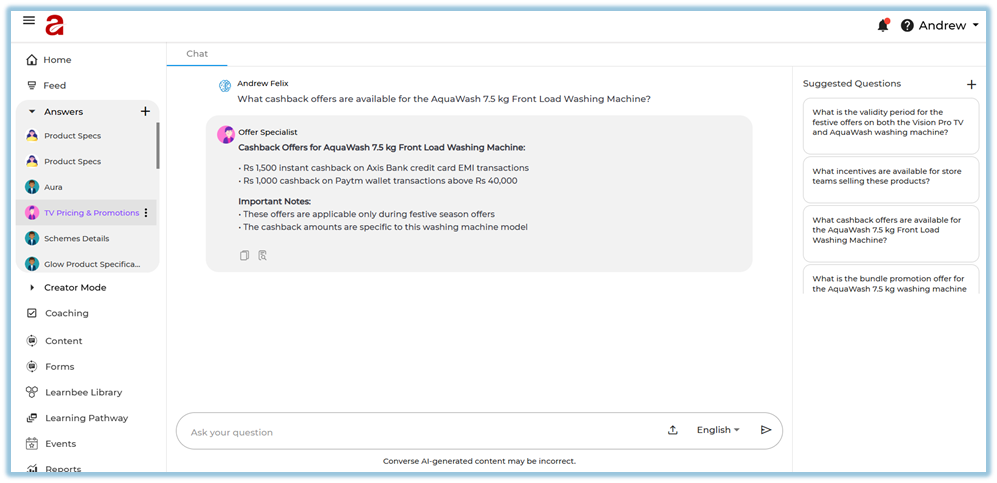
2. When to Use
-
When users want answers from their organization’s documents
-
When users prefer asking questions instead of searching manually
-
When users want responses in their preferred language
3. Concepts
-
Instant Answers – A feature that provides direct answers to user questions from uploaded documents.
-
Natural Language Questions – Questions asked in normal, conversational language.
-
Document-Based Answers – Answers generated only from the documents available in the system.
-
Multilingual Answers – Answers provided in multiple supported languages.
-
Channels – Topic-based groups used to organize documents for more accurate answers.
4. User View
Users can ask questions in a conversational way. Answers are shown instantly and are generated only from the documents uploaded to the system. Users can ask questions in different languages and receive answers in the same language.
5. Best Practices
-
Ask clear questions related to available documents.
-
Use natural language when asking questions.
6. Related Links / FAQs
Q: Where do the answers come from?
A: Answers come only from the documents uploaded to the system.
7. Version Notes
Last Updated: 17 Dec 2025
No Comments