
How do we use the Language function in Instant Answers
1. Overview
The Language function in Instant Answers allows users to ask questions and receive answers in multiple languages. The system supports multilingual interactions while using the same underlying documents.
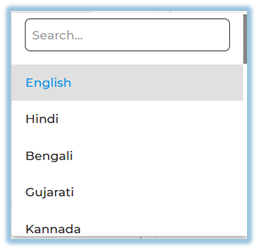
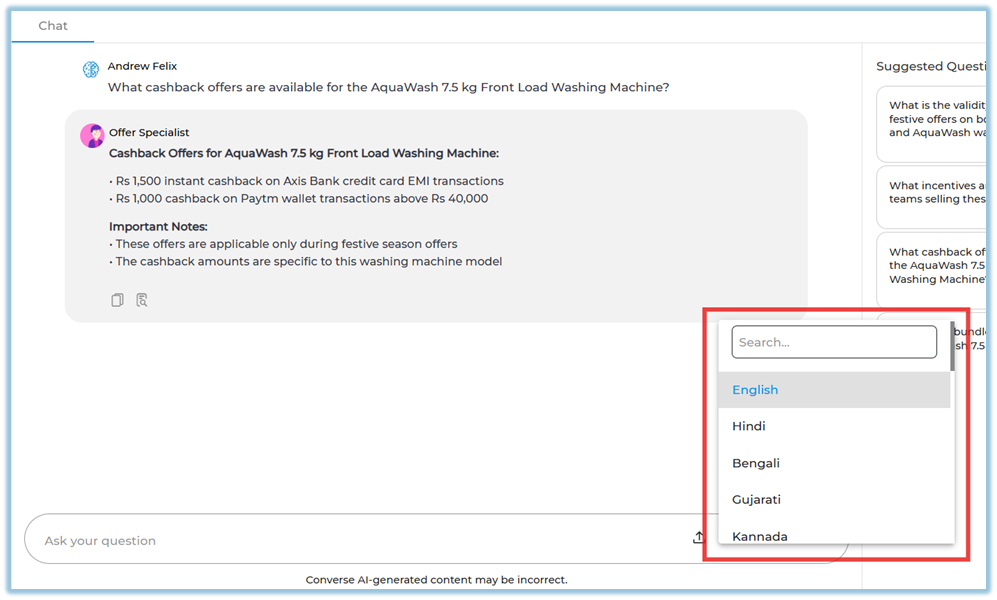
The languages are English, Hindi, Bengali, Gujarati, Kannada, Malayalam, Marathi, Punjabi, Tamil, Telugu, Odia, Assamese, Maithili, Nepali, French, Portuguese, Spanish, Thai, Bahasa Indonesia, Malay, Vietnamese, Filipino, Japanese, Korean, Traditional Chinese, and Simplified Chinese.
2. When to Use
-
When users are more comfortable asking questions in their native language
-
When teams work across different regions and languages
-
When documents are written in one language but users need answers in another
3. Concepts
-
Multilingual Answers – Allows users to receive answers in multiple supported languages.
-
Language Detection – Automatically identifies the language used in the user’s question.
-
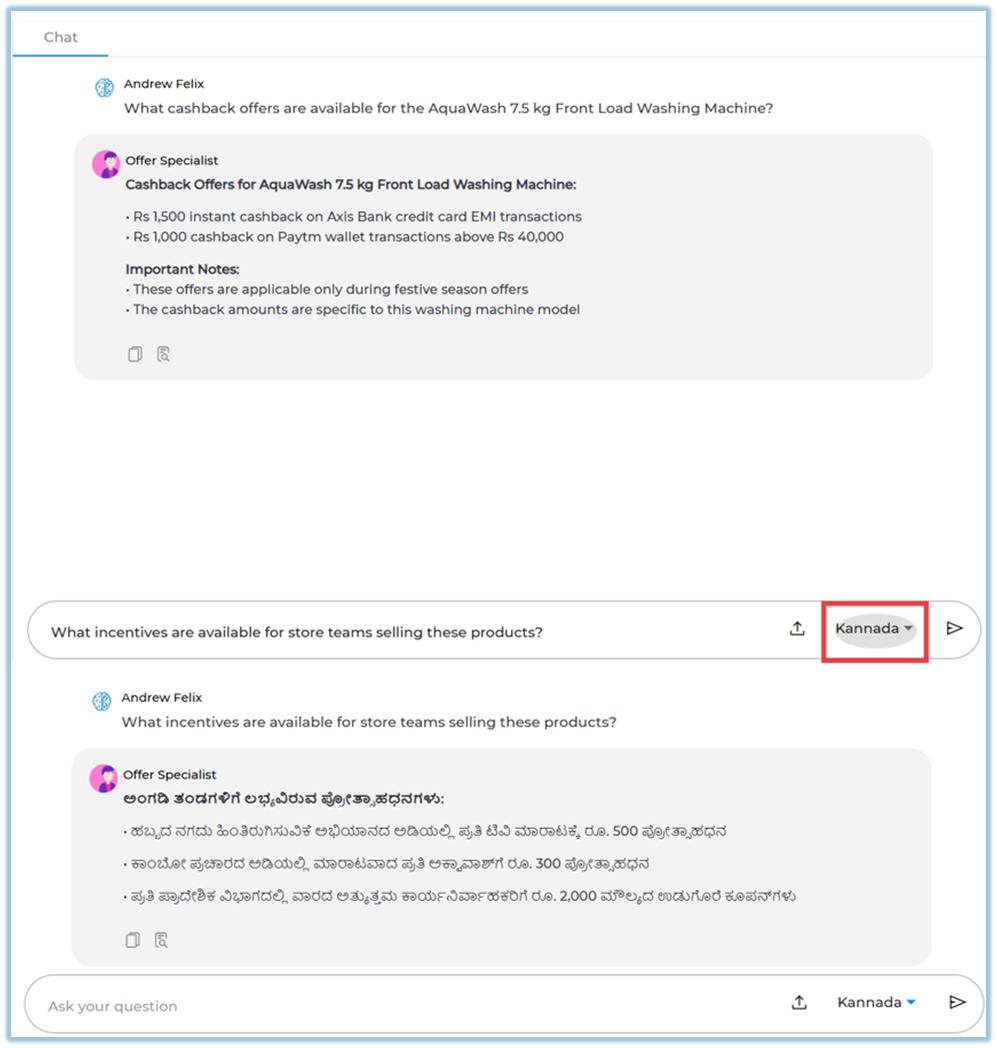
Language-Based Responses – Provides answers in the same language in which the question is asked.
-
Document Translation for Answers – Generates answers in different languages using the original uploaded documents.
4. User View
Users can ask questions in any supported language. The system responds in the same language, even if the original documents are in English.
5. Best Practices
-
Ask questions clearly in the preferred language.
-
Use consistent terminology for better answer accuracy.
6. Related Links / FAQs
Q: Do documents need to be uploaded in multiple languages?
A: No. English documents can generate answers in multiple languages.
7. Version Notes
Last Updated: 17 Dec 2025
No Comments