
How to Create Content from Scratch in Learnbee++
1. Overview
Creating content from scratch in Learnbee++ allows admins to manually build learning content starting from an empty topic. This option is used when content needs to be created without using templates or AI.
2. When to Use
- When creating completely new content without any reference
- When full control over content structure is required
- When templates or AI-generated content are not needed
- When building custom training modules manually
3. Concepts
- Learnbee++ Library – Stores all created topics
- Create Topic – Option to start creating new content
- Create from Scratch – Starts content creation without any predefined structure
- Training Setup Page – Initial page to configure topic details
4. Set Up Guide
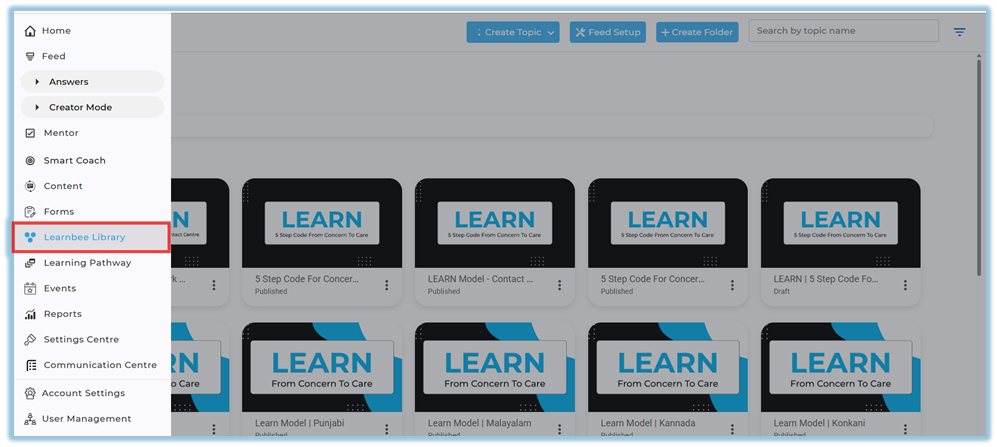
- Go to the Home Page
- Click the menu bar on the left side
- Select Learnbee++ Library
- This opens the Learnbee++ Library page
- All previously created topics are displayed here
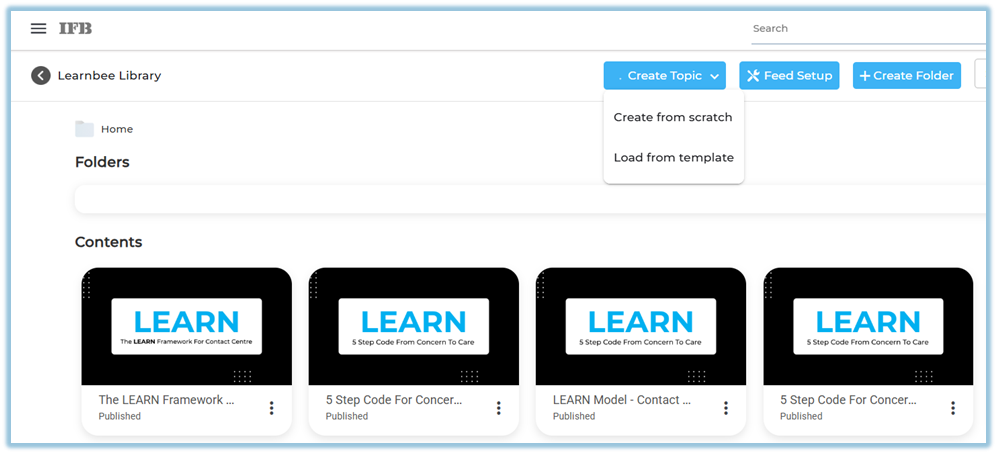
- Click Create Topic
- Located at the top of the Learnbee++ Library page
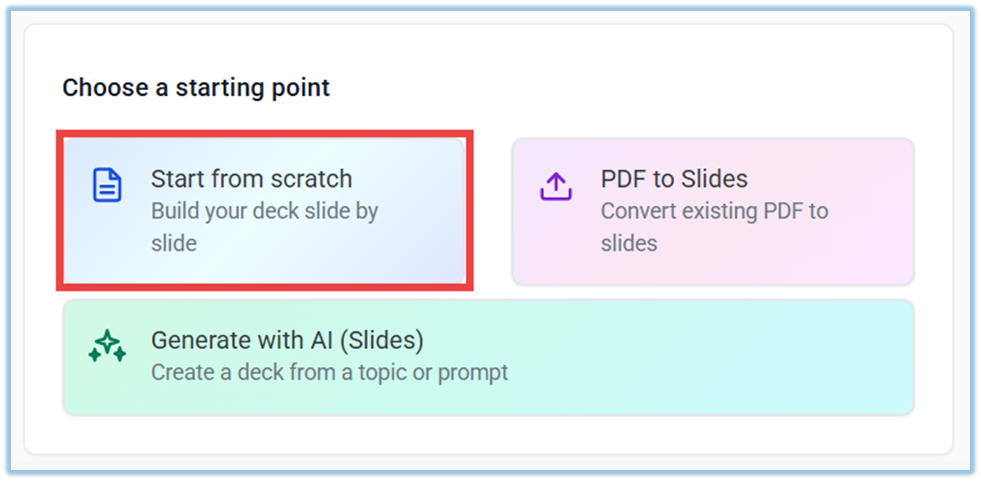
- Select Create from scratch
- This option starts a new topic without using templates
- No predefined content or structure is added
- This option starts a new topic without using templates
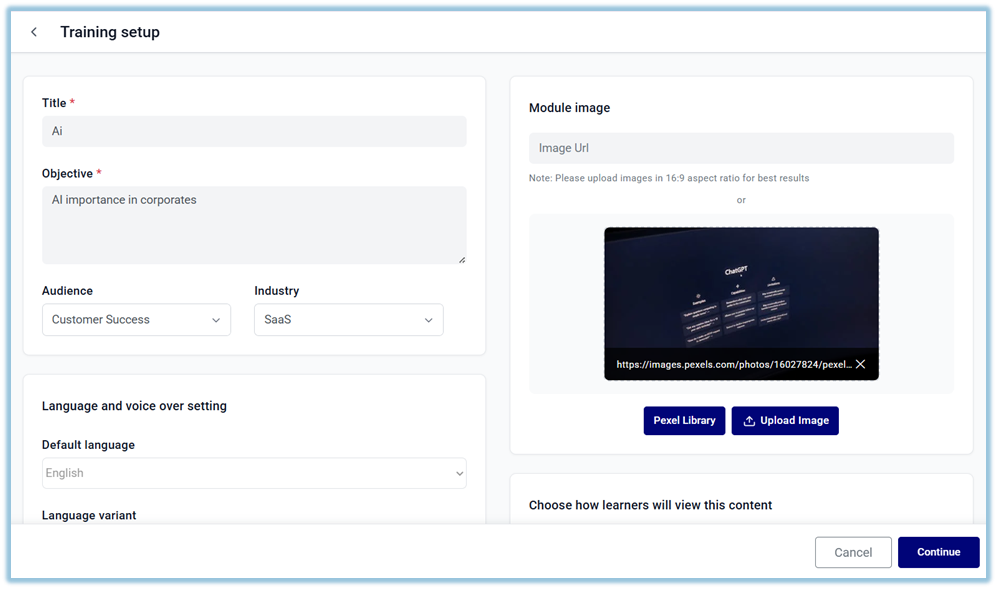
- You will be redirected to the Training Setup Page
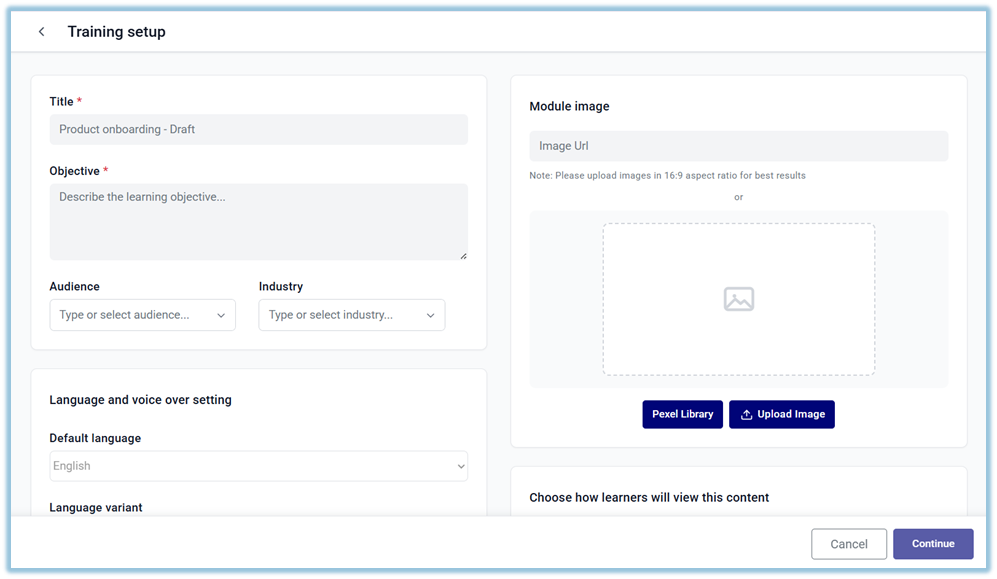
- Enter the required topic details
- Title
- Objective
- Audience
- Industry / Domain
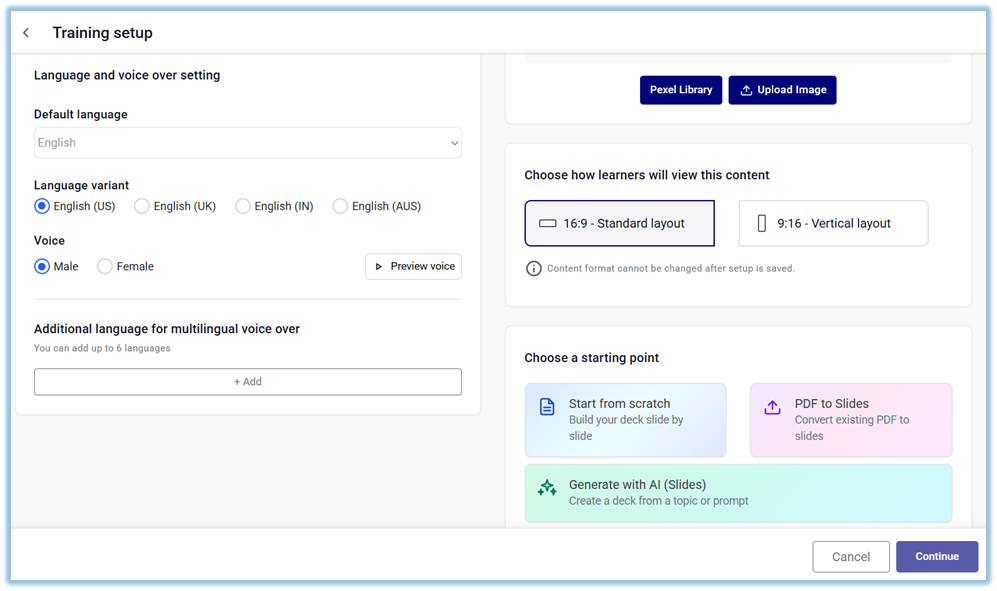
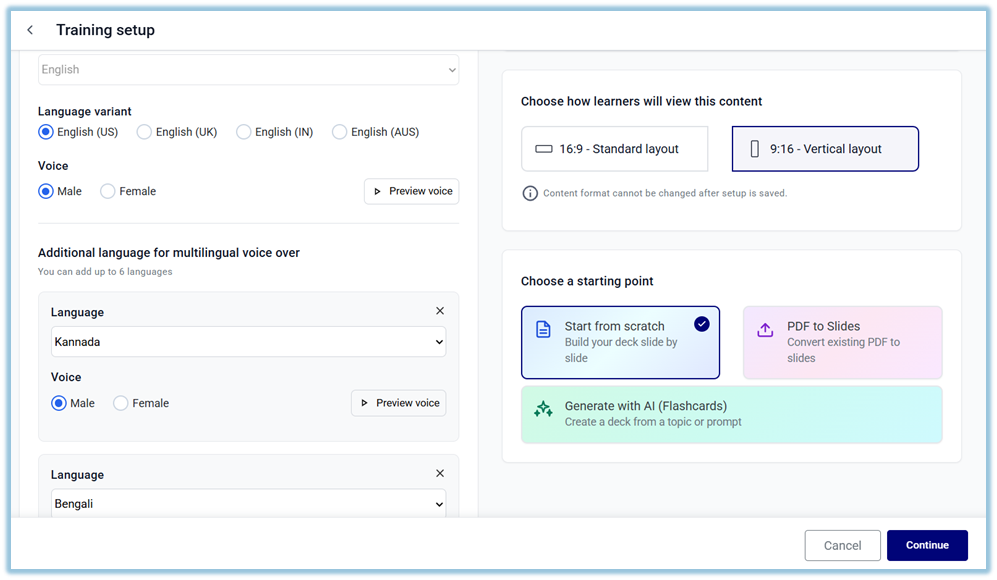
- Configure content settings
- Select Language
- Select Voice
- Choose Content Format (e.g., 16:9 or 9:16)
- In the Starting Point section, select Start from scratch
- Complete all required fields
- Proceed to the next step to enter the Topic Editor
- Click Add Slide
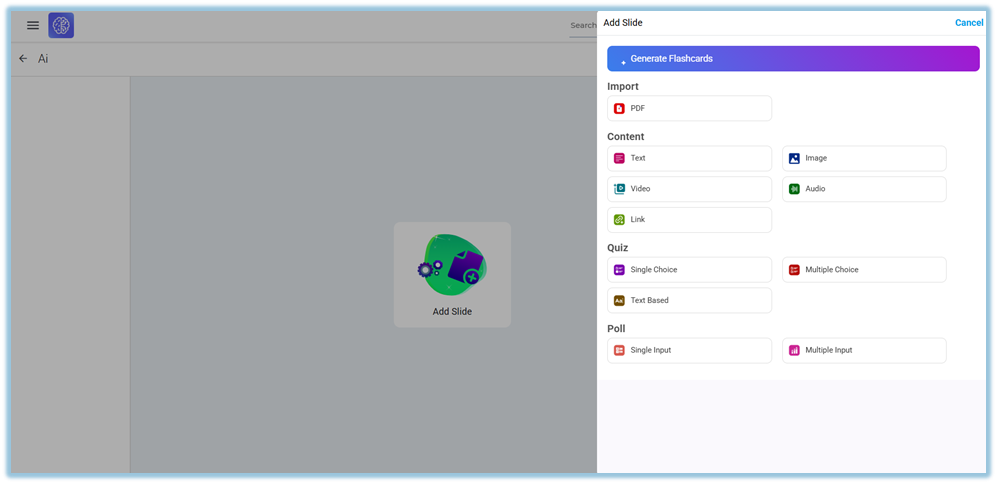
- Add learning content using available slide types
- Translate content
- Add Voiceover
- Click Preview
- Click Publish
5. User View
Admin View
- All created topics are visible in the Learnbee++ Library
- Topics are displayed as cards with details like name and status
- Admin can open and edit any topic
End User View
- Learnbee++ content is not directly visible in the Library
- Users can access the content only when it is used inside Content (modules)
- Once assigned, users can view and consume the content as part of training
6. Best Practices
- Use this option when full customization is required
- Clearly define objective before creating content
- Organize content into sections for better flow
- Review and validate content before publishing
7. Related Links / FAQs
Q: Does this option generate content automatically?
No, content must be created manually.
Q: Who can create topics in Learnbee++?
Admins can create topics.
8. Version Notes
Last Updated: 09 Apr 2026
No Comments