
How do I upload an Excel or CSV file as a source?
Overview
Lets you upload an Excel (.xlsx) or CSV (.csv) file as a data source for dashboards. Vantage reads the file's columns and rows and makes the data available to widgets. You can upload multiple files and later join them using relationships.
When to Use
Use this feature when:
- You want to turn spreadsheet data into charts and KPIs
- You have data exported from another system (ERP, HRMS, POS)
- You need a one-time or periodic snapshot instead of a live connection
- You want to prototype a dashboard quickly with real data
Concepts
- Data Source – A named data set inside Vantage that widgets query
- Connector – The method used to bring data in (Excel/CSV, API, or internal forms)
- Ingest – Automatic process that loads your file into Vantage's analytics engine
- Column Mapping – Vantage's detected name and type for each column; editable before saving
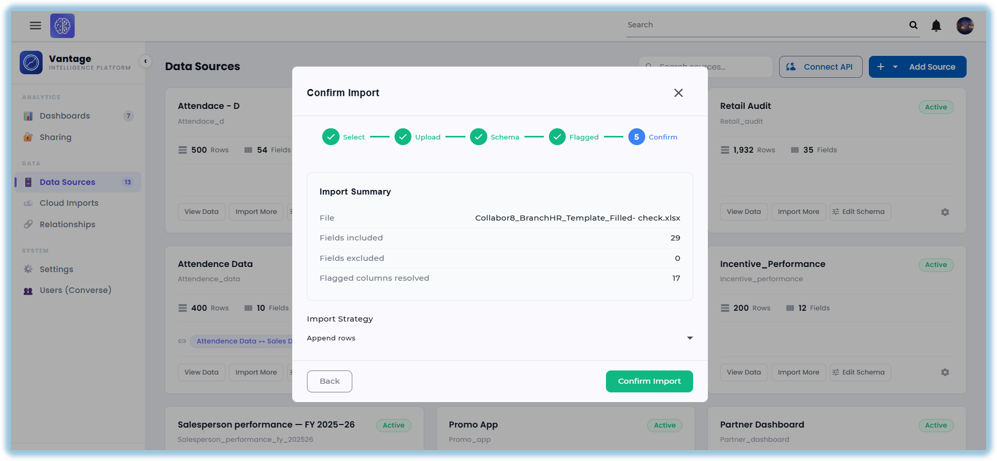
- Replace vs Append – Replace overwrites existing rows; Append adds new rows to them
- Typed Columns – Each column's data type (String, DateTime, Int64, etc.) for correct filtering and aggregation
Set Up Guide
From the Home Page, click the Vantage Dashboard widget to open Vantage. If you have not added this widget yet, follow the Custom Widget help doc to set it up.
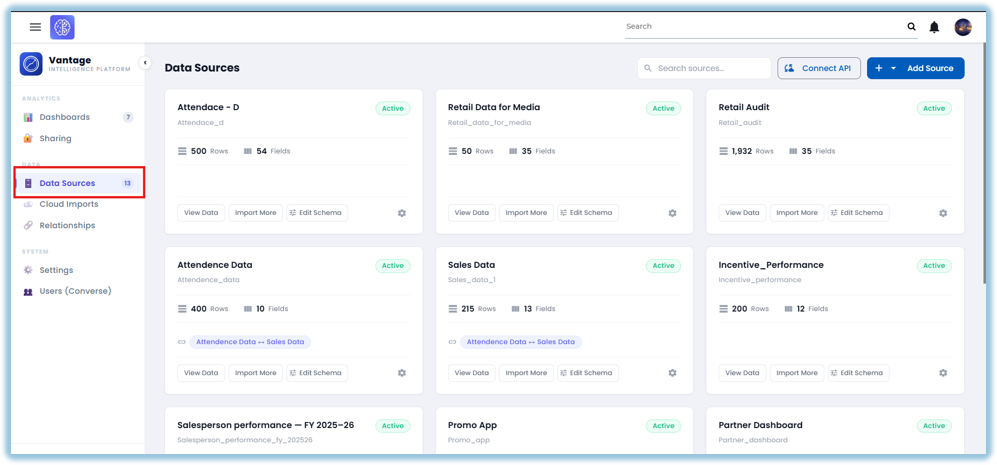
- Go to Data Sources
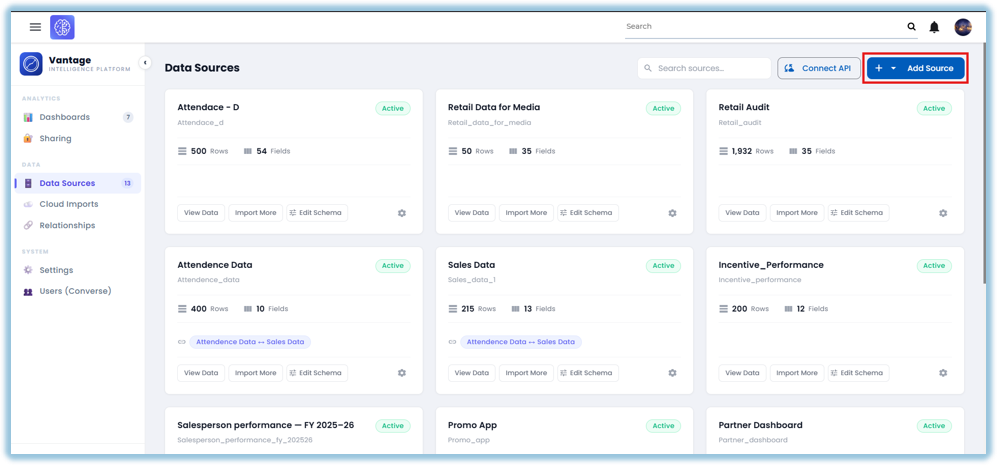
- Click + Add Source → select Excel / CSV
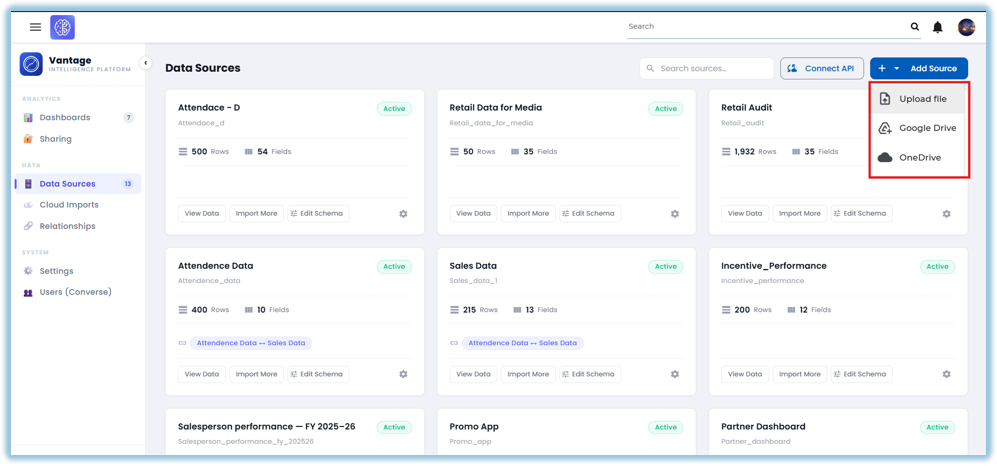
- Choose your Source
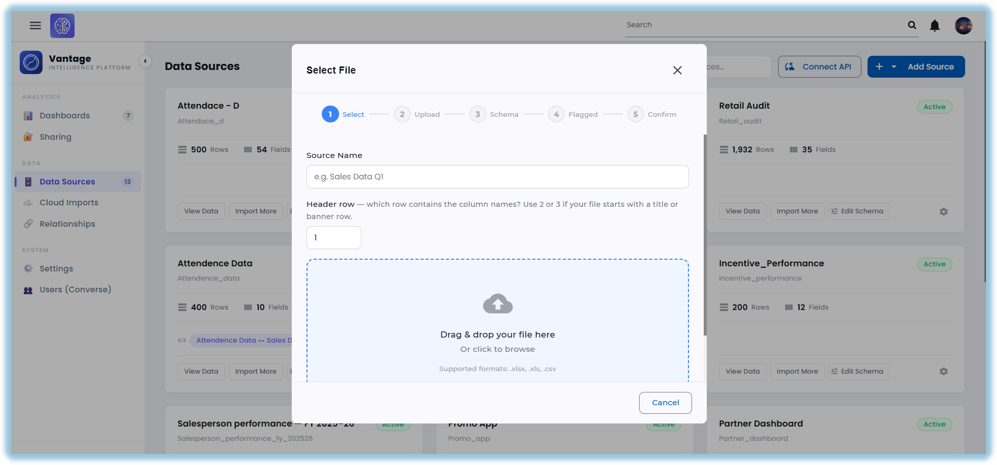
- Name the data source
- Choose your .xlsx or .csv file
- Review the column mapping
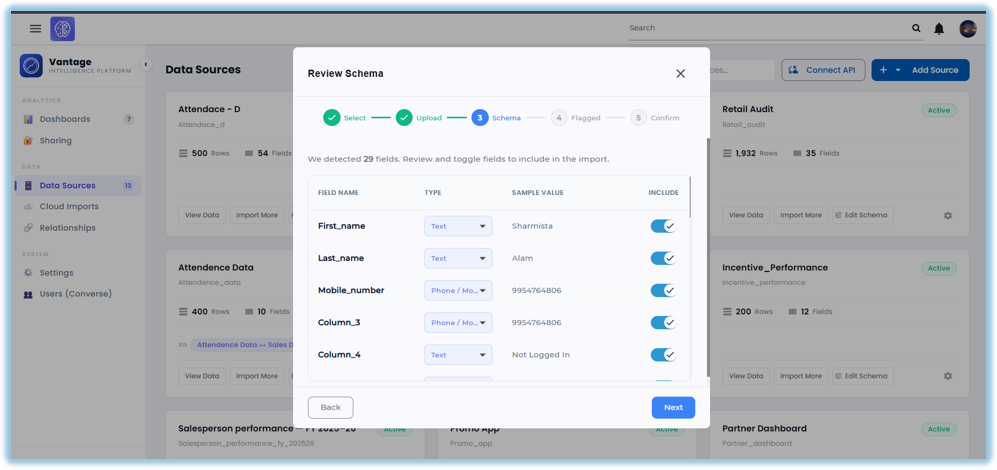
- Click Next and Review the Data.
- Click Confirm Import
Best Practices
- Use a header row — Vantage names columns from it
- Remove blank rows and columns before uploading
- Keep dates in a consistent format
- Avoid merged cells in Excel files
- Re-upload and choose Replace to keep data current
- Use one sheet per file — Vantage reads the first sheet
- Keep file sizes manageable
Related Links / FAQs
- How do I connect a REST API as a data source?
- How do I connect internal Converse forms as a data source?
- How do I view and edit data in a source?
- How do I create a relationship between data sources?
FAQs
Can I upload more than one file?
Yes, each file becomes its own data source.
What file formats are supported?
Excel (.xlsx) and CSV (.csv).
Can I update the data after uploading?
Yes — re-upload and choose Replace or Append.
What if my column names change between uploads?
Vantage may create new columns; keep names consistent.
Version Notes
Last Updated: Oct 2026
No Comments